WizLeads
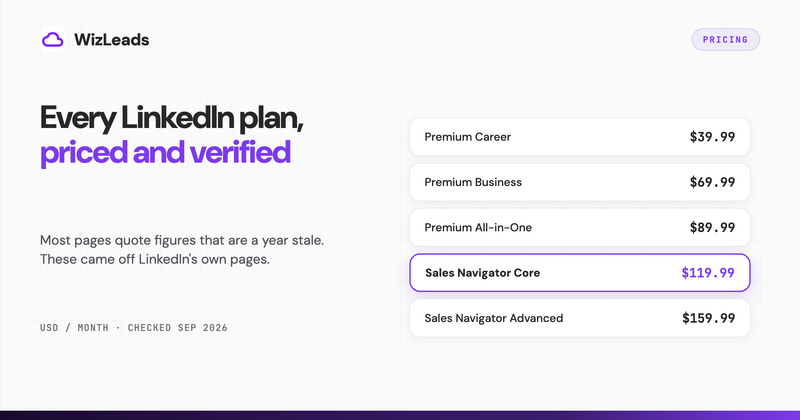

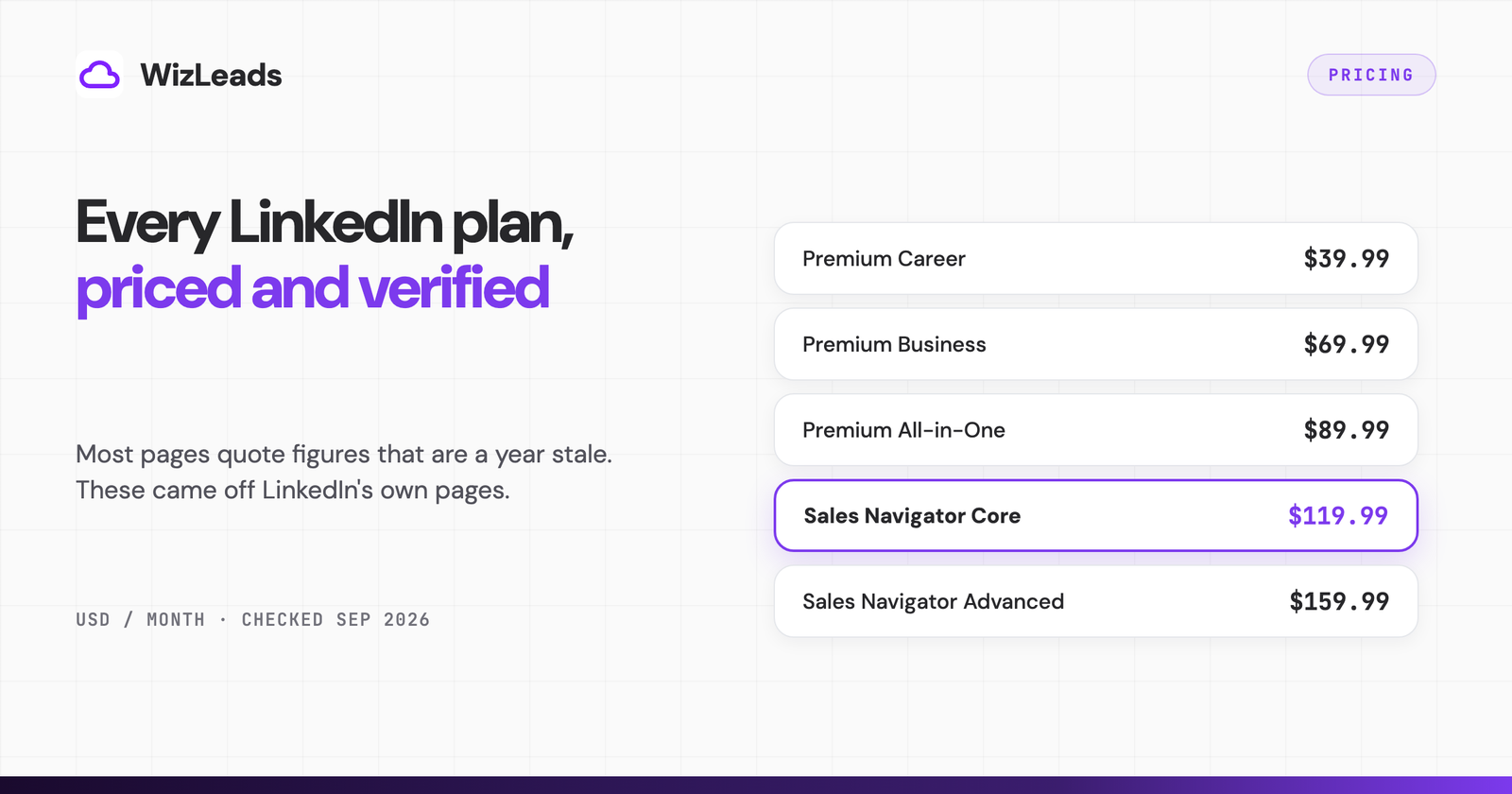
LinkedIn Premium costs between $39.99 and $99.99 a month in the US, depending on which of the four LinkedIn Premium plans you buy. Premium Career is $39.99, Premium Business is $69.99, Premium All-in-One is $89.99, and Premium Company Page is $99.99.
How much is LinkedIn Premium? Every plan priced
| Plan | Monthly | Annual | Annual works out to | InMails/month | Built for |
|---|---|---|---|---|---|
| Premium Career | $39.99 | $239.88 | $19.99/mo | 5 | Job seekers |
| Premium Business | $69.99 | $539.88 | $44.99/mo | 15 | Founders, consultants, sellers |
| Premium All-in-One | $89.99 | $899.88 | $74.99/mo | 30 | Small businesses running profile and Page together |
| Premium Company Page | $99.99 | $839.88 | $69.99/mo | not included | Marketing a company Page |
US list prices, checked 8 September 2026 on LinkedIn's own product pages: Premium Career, Premium Business, Premium All-in-One and Premium Company Page. Each page carries the note "Last updated: April 20, 2026 (pricing and plan details)". LinkedIn adds that the figures are estimates, may exclude VAT or GST, and can vary slightly across device types.
Two things surprise people about that table. Company Page costs more per month than All-in-One but less per year, because the two plans discount annual billing at completely different rates. And the annual column is not one discount applied four times, which is the part that decides whether paying up front is smart or pointless.
Why so many pages quote the wrong LinkedIn Premium price
If you have already read two or three articles about this, you have probably seen Premium Career at $29.99 and Premium Business at $59.99. Those were the prices for about a year, and they are now a year out of date. LinkedIn revised the plan lineup and the prices, and the current pages carry an April 2026 timestamp.
The staleness is easy to check. Of the three non-LinkedIn pages ranking in the top ten for this search today, two still quote the old numbers. One has Business at $59.99 and Sales Navigator Core at $99.99. Another, last updated in April 2025, opens by saying job seekers pay $29.99 for Premium Career. Both are wrong by $10 to $20 a month.
There is a third, and it is now being repeated by Google itself. The AI Overview for this search quotes LinkedIn Premium at "$39.99 and $169.99 per month". The first figure is Premium Career. The second is not a Premium plan at all: $170 a month is Recruiter Lite, a hiring product. LinkedIn reuses the word premium across several product families, and the summary has folded two of them together. For the record, Recruiter Lite is $170 a month for one seat, a price we confirmed in September 2026. LinkedIn's help pages listed $270 a month per licence for two to five seats, and $1,680 a year for one or $2,670 per licence a year for two to five, until at least March 2026. LinkedIn's plan comparison page no longer shows a Recruiter Lite price. If you came here after reading that $169.99 figure, you were looking at recruiting software, not at Premium.
There is a second reason the numbers drift. A lot of writers repeat the claim that LinkedIn hides its pricing and only shows it at checkout. That was once a reasonable description. It is no longer accurate: every Premium product page now carries a plain-language FAQ block stating the monthly and annual price in five currencies. The block sits below the marketing content, which is why it gets missed. Anyone quoting a Premium price without checking that block is quoting somebody else's memory.
The annual discount ranges from 17% to 50%
Committing to a year saves money on every plan, but the amount changes so much between plans that "pay annually" is not general advice.
| Plan | 12 monthly payments | Annual price | You save | Discount |
|---|---|---|---|---|
| Premium Career | $479.88 | $239.88 | $240.00 | 50% |
| Premium Business | $839.88 | $539.88 | $300.00 | 36% |
| Premium Company Page | $1,199.88 | $839.88 | $360.00 | 30% |
| Premium All-in-One | $1,079.88 | $899.88 | $180.00 | 17% |
The savings percentages are LinkedIn's own, stated on each product page, and the arithmetic holds on all four. Premium Career is the outlier worth acting on. Half price is a real discount, and $239.88 for twelve months is the cheapest any LinkedIn Premium plan gets.
All-in-One is the one to think twice about. Seventeen percent buys you a year of lock-in on the plan whose value depends most on you actively running a company Page, which is exactly the activity most people abandon by month three. If you are not certain you will still be posting in June, the monthly price is cheap insurance.
What each plan actually gives you
LinkedIn Premium Career cost: $39.99 a month
Career is built around a job search and priced for one. You get 5 InMail credits a month for messaging people outside your network, the full list of who viewed your profile going back 365 days, top applicant jobs which flag the roles where LinkedIn already rates you a strong match, anonymous profile browsing, and access to LinkedIn Learning, which the page describes as over 25,000 courses.
LinkedIn's own pitch for the InMails is that you are "5.7x more likely to get a reply than with cold email". Take that as a vendor claim on a vendor page, not as an independent result.
LinkedIn Premium Business cost: $69.99 a month
Business buys Career plus reach. The InMail allowance triples to 15 a month, and unused credits roll over for three months, so a quiet month is not wasted. You also get unlimited access to view profiles beyond your immediate network, business insights that LinkedIn describes as company growth trends and hiring activity, and a custom call-to-action button on your profile.
The profile viewing is the line item that matters most and gets described least. Free LinkedIn applies a commercial use limit that caps how much searching and profile viewing you can do in a calendar month. It resets at midnight PST on the 1st, and LinkedIn warns you as you approach it without ever telling you the number, saying it is "not able to display the exact number of searches or views you have left".
Be slightly careful with the word unlimited here. The Premium Business product page promises search "with no limits", while LinkedIn's own help page on the commercial use limit lists Business as one of three subscriptions that increase your allowance, and notes that some Premium plans keep the limit entirely. If you research heavily, buy Business expecting a much higher ceiling rather than no ceiling at all.
LinkedIn Premium All-in-One cost: $89.99 a month
All-in-One folds profile features and Page features into one subscription: 30 InMail credits a month with the same three-month rollover, 15 daily prospect suggestions based on criteria you set, unlimited search with advanced filters, follower invites, monthly hiring credits, and a $50 monthly credit for boosting your posts as ads.
That $50 credit is worth noticing when you compare plans, because it is real money coming back. It changes the effective cost of All-in-One more than any feature row does, provided you would have spent the $50 on promotion anyway.
Buying Business and Company Page separately would cost $169.98 a month against $89.99 for All-in-One. The saving is genuine but the plans are not equivalent. LinkedIn describes All-in-One as bringing "key profile and Page capabilities together", which is careful wording, and careful wording usually means some individual features sit on the standalone plans only.
LinkedIn Premium Company Page cost: $99.99 a month
Company Page is the only plan in the family that upgrades a company rather than a person, which is why it has no InMail allowance. It buys automated follower invites for people who engage with your content, Page analytics, a custom CTA button, and exclusive placements in featured sections.
It is also the plan with the largest gap between its monthly and annual pricing. At $839.88 a year it costs $69.99 a month, less than All-in-One, while the monthly price is the highest of the four.
InMail count is the worst way to choose a plan
The InMail allowance is the number every comparison table leads with, and it is close to useless as a decision input. Divide each monthly price by its allowance and the cost per message falls steadily as you move up the range.
| Plan | Monthly price | InMails | Cost per InMail |
|---|---|---|---|
| Premium Career | $39.99 | 5 | $8.00 |
| Premium Business | $69.99 | 15 | $4.67 |
| Premium All-in-One | $89.99 | 30 | $3.00 |
| Sales Navigator Core | $119.99 | 50 | $2.40 |
That column invites you to spend more per month to pay less per message, and for almost everyone it is the wrong way round. Your outreach volume is not set by your subscription. It is set by how many people you can research and write to properly.
Fifteen properly researched messages a month is a lot of work. Thirty is a part-time job. If you are sending five thoughtful InMails a month on Career, moving to Business does not get you ten more good messages, it gets you ten more unused credits, and it costs $360 a year to find that out. The people for whom the per-message maths is real are running structured outbound with a list and a process behind it, and they are not choosing between Premium tiers anyway.
Choose on the feature that removes your actual blocker instead. Hitting the browsing limit points to Business. Needing Page analytics points to Company Page or All-in-One. Job hunting points to Career. The InMail number is a consequence of that choice, not an input to it.
What Premium costs outside the US
Prices are localised rather than converted, so the US figure is not a reliable guide to what you will pay. LinkedIn publishes five currencies on each product page.
| Plan | USD | GBP | EUR | CAD | AUD |
|---|---|---|---|---|---|
| Premium Career | $39.99 | £29.99 | €29,98 | C$49.99 | A$54.99 |
| Premium Business | $69.99 | £49.99 | €52,49 | C$74.99 | A$74.99 |
| Premium All-in-One | $89.99 | £64.00 | €66,99 | C$94.99 | A$94.99 |
Monthly, per licence, from the same LinkedIn pages checked on 8 September 2026. UK and euro-zone buyers pay meaningfully less than US buyers on every plan, while Canadian and Australian buyers pay more. The annual prices are published alongside these and follow the same pattern. LinkedIn notes that all of them may exclude VAT or GST, so the number on your invoice will usually be higher than the number on the page.
One quirk worth flagging: £29.99 for Premium Career is the same figure as the old US price, which is a reliable way to spot an article that has confused the two.
The free trial, and what LinkedIn does not promise
The LinkedIn Premium free trial lasts one month. LinkedIn's billing help page says the card you use to start a free trial of any Premium subscription "will automatically be charged one month from the date you signed up". The same page adds that "trial eligibility and duration may vary based on regional availability or promotional terms", and LinkedIn notes elsewhere that "not all members qualify for a free trial". In practice that means 30 days on a new account that has not taken a LinkedIn trial before, which matches what Sales Navigator offers.
The terms that are stated plainly matter more:
- A valid credit card is required to start the trial.
- At the end of the trial the subscription converts to a paid plan automatically unless you cancel first.
- If you have redeemed a trial on your profile in the last 12 months, you are not eligible for another one.
- You cannot switch between Premium plans free of charge during a trial period.
There is one gap in the 12-month rule that LinkedIn spells out and nobody quotes. Even if you have already used a Premium trial, you may still be eligible for a free Premium Company Page trial, because eligibility for that plan is tracked separately. If you burned a Career trial two years ago and now want to test Page features, sign in and check before assuming you are locked out.
Premium Perks, the partner discounts bundled with paid plans, are not part of the trial. LinkedIn's wording is that you become eligible to redeem them after your free trial ends and you make your first payment.
Cancelling, and the 7-day window that gets missed
LinkedIn's stated policy is that Premium subscriptions "may be refundable within 7 days from the date the subscription is charged without Premium usage". Both conditions are load-bearing. Seven days from the charge, and you have to have used nothing.
That second condition catches people out. Sending a single InMail, or opening the full who-viewed-your-profile list, is Premium usage. If you subscribe on a Monday, try the features on Tuesday, and decide on Wednesday that it is not worth $69.99, the refund is no longer reliably available to you.
Cancelling outside that window does not end your access immediately. Your Premium features, including any InMail credits you are sitting on, run to the end of the billing cycle and expire then. Unused credits do not survive the cancellation, so spend them before the cycle closes.
Students and nonprofits
There is no separate LinkedIn Premium cost for students. LinkedIn publishes no student tier, no student price, and no student discount on any of its Premium pages. The route students have taken has always been a partner bundle rather than a LinkedIn discount, and those bundles appear and disappear on the partner's schedule. Terms change often enough that any specific offer quoted in an article, including this one, is worth verifying at signup rather than trusting.
Nonprofits are in a similar position. LinkedIn's nonprofit site says eligible organisations "can get an exclusive discount on talent, learning, and fundraising solutions" without publishing an amount, and the products named there are the hiring and learning tools rather than Premium subscriptions. Assume Premium is full price unless a LinkedIn representative tells you otherwise in writing.
When Premium is not worth the money
Three situations come up repeatedly, and in all three the honest answer is to keep the $39.99.
You want to see who viewed your profile and nothing else. Free LinkedIn already shows you a partial list. Premium extends it to 365 days and removes the blur. That is a nice-to-have, and $479.88 a year is a lot to pay for curiosity.
You are subscribed permanently but only use it in bursts. Premium is consumed the way a gym membership is consumed. Two heavy months during a job search, then ten months of paying for an InMail balance you never touch. Cancelling and resubscribing when you next need it costs less, and the plans are month-to-month unless you chose annual.
You bought Business hoping it would help you prospect. Business gives you a higher viewing allowance and 15 InMails. It does not give you saved searches, lead lists, alerts, or the advanced filters that make systematic prospecting possible. People who buy Business for sales work tend to upgrade within a quarter, having paid twice.
Where Premium stops and Sales Navigator starts
Premium and Sales Navigator split on one question: does the product help you decide who to message? Every Premium plan improves your own profile and your own reach. None of them gives you a search you can save, a list you can build on, or an alert when someone changes jobs.
Sales Navigator does, and it is priced accordingly: Core is $119.99 a month, Advanced is $159.99, and Advanced Plus is quote-only. The full breakdown, including what the annual discount looks like at that tier and what Advanced actually adds, is in our Sales Navigator cost guide. If you are weighing the $50 step up from Premium Business specifically, we compared the two head to head in Sales Navigator vs Premium.
Worth knowing before you make that jump: neither Premium nor Sales Navigator lets you export anything. Sales Navigator will show you 2,500 results and give you no way to get them into a spreadsheet, which is why teams that prospect at volume end up pairing a seat with an extraction layer. That is the problem WizLeads exists to solve, and it only becomes your problem once you have decided to prospect systematically. If you are here to work out whether $39.99 for Premium Career is worth it, you are nowhere near that decision yet.
FAQ
How much does LinkedIn Premium cost in 2026?
Premium Career is $39.99 per month or $239.88 per year. Premium Business is $69.99 per month or $539.88 per year. Premium All-in-One is $89.99 per month or $899.88 per year. Premium Company Page is $99.99 per month or $839.88 per year. These are US list prices published by LinkedIn and last updated on 20 April 2026.
Is LinkedIn Premium worth it?
It is worth it during a defined push: an active job search, a hiring round, or a quarter where you are messaging people outside your network. It is poor value as a permanent subscription, because the features that justify it are used heavily for a few months and then barely at all.
How long is the LinkedIn Premium free trial?
One month. LinkedIn's billing help page says the card used for a Premium free trial is charged one month from the date you sign up, which in practice means 30 days on a new account that has not taken a LinkedIn trial before. The same page says trial eligibility and duration may vary by region or promotional terms, and not all members qualify. A valid credit card is required, and the trial converts to a paid plan automatically unless you cancel before it ends.
What is the cheapest LinkedIn Premium plan?
Premium Career at $39.99 per month is the cheapest plan. Paying annually brings it to $239.88 per year, which works out to $19.99 per month, the lowest price at which any Premium plan is sold.
Can you get LinkedIn Premium cheaper with annual billing?
Yes, but the size of the discount varies by plan. Annual billing saves 50% on Premium Career, 36% on Premium Business, 30% on Premium Company Page and 17% on Premium All-in-One.
Does LinkedIn offer a student discount on Premium?
LinkedIn publishes no student tier and no student price on any of its Premium pricing pages. Students have historically been reached through partner bundles rather than a LinkedIn discount. The most recent of those, Microsoft 365 bundled with twelve months of Premium Career, was announced in January 2026 as a limited-time offer and has ended: Microsoft support confirmed on 29 March 2026 that no new codes were being issued. Pages still promoting it are out of date.
Can you get a refund if you cancel LinkedIn Premium?
LinkedIn states that Premium subscriptions may be refundable within 7 days of the date the subscription is charged, provided there has been no Premium usage. If you cancel outside that window, your Premium features and InMail credits run until the end of the billing cycle and then expire.