WizLeads


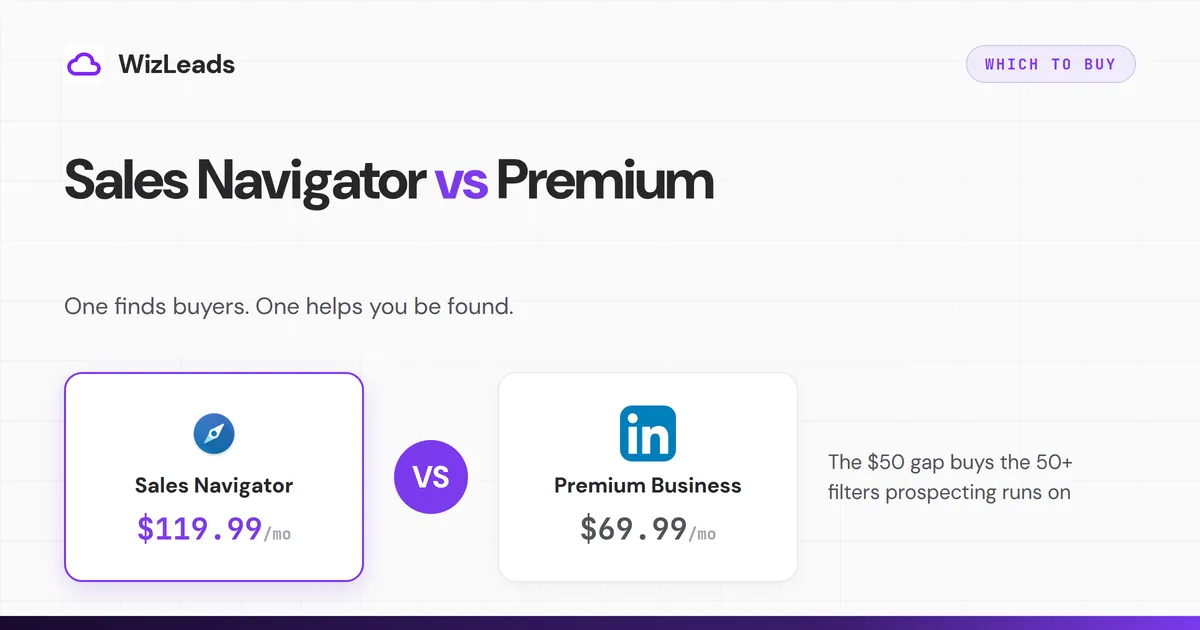
LinkedIn Sales Navigator vs Premium is a $50/month decision that usually answers itself in one question: do you search for prospects, or do you mostly want to be found? Premium Business ($69.99/month) upgrades your personal LinkedIn presence. Sales Navigator ($119.99/month) is a separate prospecting application with its own search engine, filters, and lead management.
Comparison table
| Premium Career | Premium Business | Sales Navigator Core | |
|---|---|---|---|
| Price per month | $39.99 | $69.99 | $119.99 |
| Annual price | $239.88 | $539.88 | $1,079.88 |
| InMail credits per month | 5 | 15 | 50 |
| Who viewed your profile | yes | yes | yes |
| Unlimited people browsing | no | yes | yes |
| LinkedIn Learning | yes | yes | yes |
| Advanced lead and account search filters (50+) | no | no | yes |
| Saved searches with alerts | no | no | yes |
| Lead and account lists | no | no | yes |
| Job-change alerts on saved leads | no | no | yes |
| Buyer intent signals | no | no | Advanced tier, not Core |
| Separate prospecting inbox and app | no | no | yes |
US list prices, taken from LinkedIn's own published pages: Premium Career, Premium Business and the Sales Navigator plans and pricing comparison, which also carries the feature rows. Annual billing saves 50% on Career, 36% on Business and 25% on Core, so the annual columns are less than twelve times the monthly price.
What is LinkedIn Premium?
Premium is the upgrade to the LinkedIn you already use. LinkedIn sells it in two directions, and neither one is prospecting: its own Premium page splits the product into "Premium for job seekers" and "Premium for small businesses". Career ($39.99) targets job seekers: InMails, applicant insights, courses. Business ($69.99) targets professionals who network: 15 InMails, unlimited browsing, richer profile-view data, business insights.
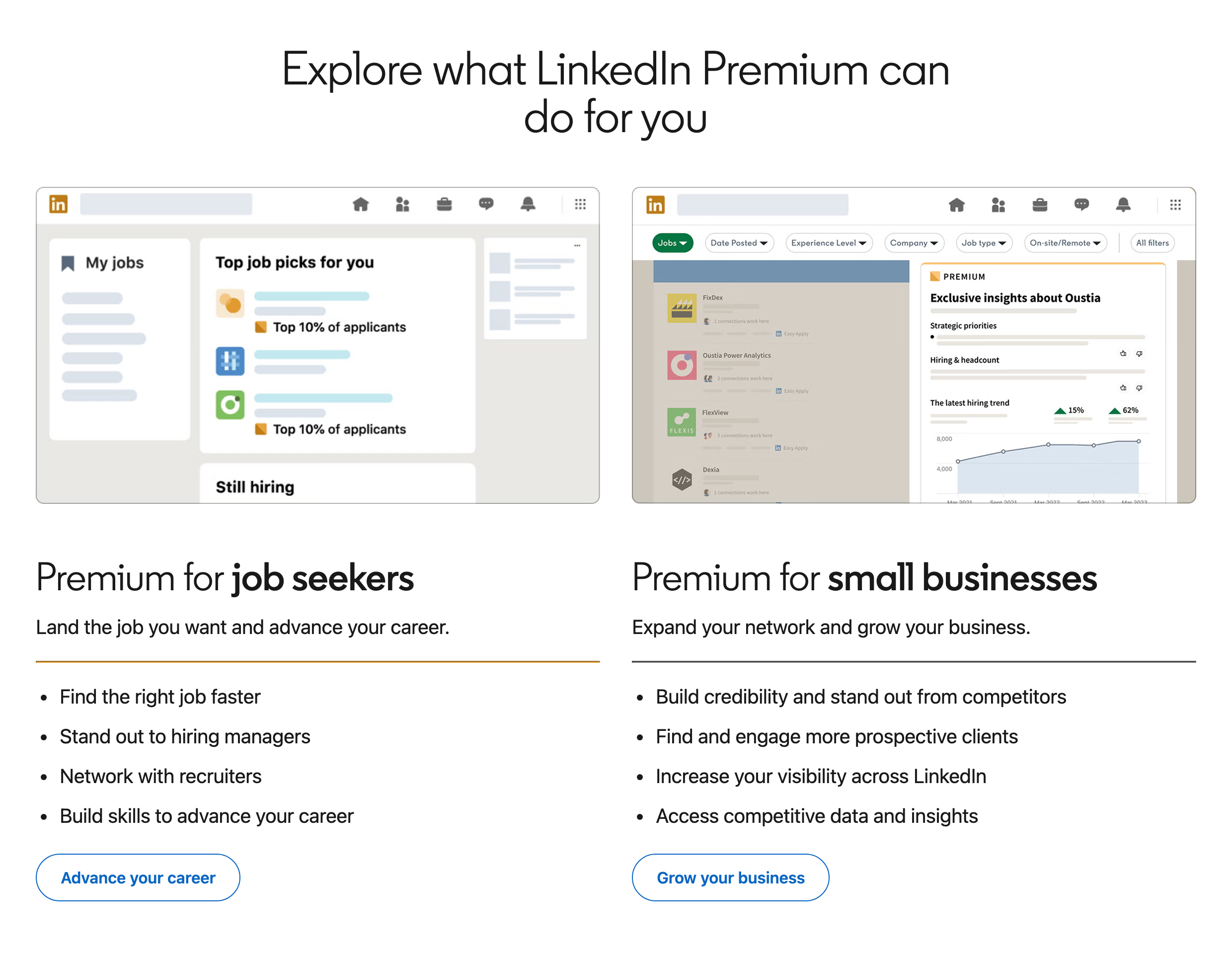
The product mockups LinkedIn uses to sell Premium are a job feed and a company-insights panel. Nothing in that page is a prospecting workflow.
Be careful with the phrase advanced search filters, because LinkedIn uses it for two different things. Premium Business's own page promises "advanced search filters to find the right people and companies", and that is true on its own terms: you get more than the free search. What you do not get is Sales Navigator's filter set, the 50-plus lead and account filters that let you stack seniority, headcount, geography, tenure and technology in one query. Nor do you get saved searches, alerts, lists, or lead management of any kind.
Premium Business is right for consultants and founders who network opportunistically, want the profile-view visibility, and research companies occasionally. If your prospecting is reactive rather than systematic, it is enough.
What is Sales Navigator?
Sales Navigator is a different application with a different search engine. The $119.99 Core plan buys the toolkit systematic prospecting runs on:
- 50+ lead and account filters: title, seniority, headcount, geography, years in role, technology, growth signals
- Account search with company-level filters
- Saved searches that alert you when new prospects match
- Lead lists with notes, alerts on job changes, and funding events
- 50 InMail credits and extended visibility beyond your network
- Search result pages up to 2,500 results per query
It also includes the core Premium perks, which is why the "do I need both" question has a clean answer: no.
Which is better for salespeople?
Sales Navigator, and it is not close. The test is whether you build lists of people matching an ICP. Premium cannot filter by seniority plus headcount plus geography; Sales Navigator does it in one query, saves the search, and emails you when new matches appear. A rep doing five touches a week can survive on Premium. A team running real outbound needs the filters, and the $50 gap is a rounding error against one closed deal.
Sales Navigator has caveats too: its data lives inside LinkedIn's walls, contact emails are rarely surfaced, and every search caps at 2,500 visible results. Budget for an extraction and enrichment layer on top of the seat; that combination is what turns Sales Navigator from a browsing tool into a pipeline source.
What the 50+ filters actually buy you
"Advanced filters" undersells the gap. Free and Premium search filters by keyword, location, current company, industry, and connection degree. Sales Navigator adds the dimensions prospecting keys on: seniority level, function, years in current role, years at current company, company headcount bands, company growth rate, posted-on-LinkedIn recency, changed-jobs-recently, shared experiences, and boolean logic across all of it.
Two worked examples of what only Sales Navigator can express: "VPs of Sales at 51-200 employee US SaaS companies who changed jobs in the last 90 days" (a classic trigger-event list) or "Operations directors at logistics companies with 201-500 employees, excluding my existing accounts." On Premium, each of those is hours of manual cross-referencing; on Sales Navigator, each is one saved search that emails you new matches weekly.
Core vs Advanced, briefly
Advanced ($159.99/month) adds TeamLink (warm-intro paths through teammates' networks), Smart Links (trackable content pages), and admin reporting on top of Core. Solo operators and small teams rarely need any of the three; buy Core, and revisit Advanced when a manager asks for usage reporting or your team is large enough that TeamLink paths become common. LinkedIn's own plan comparison lists every feature row across the three tiers.
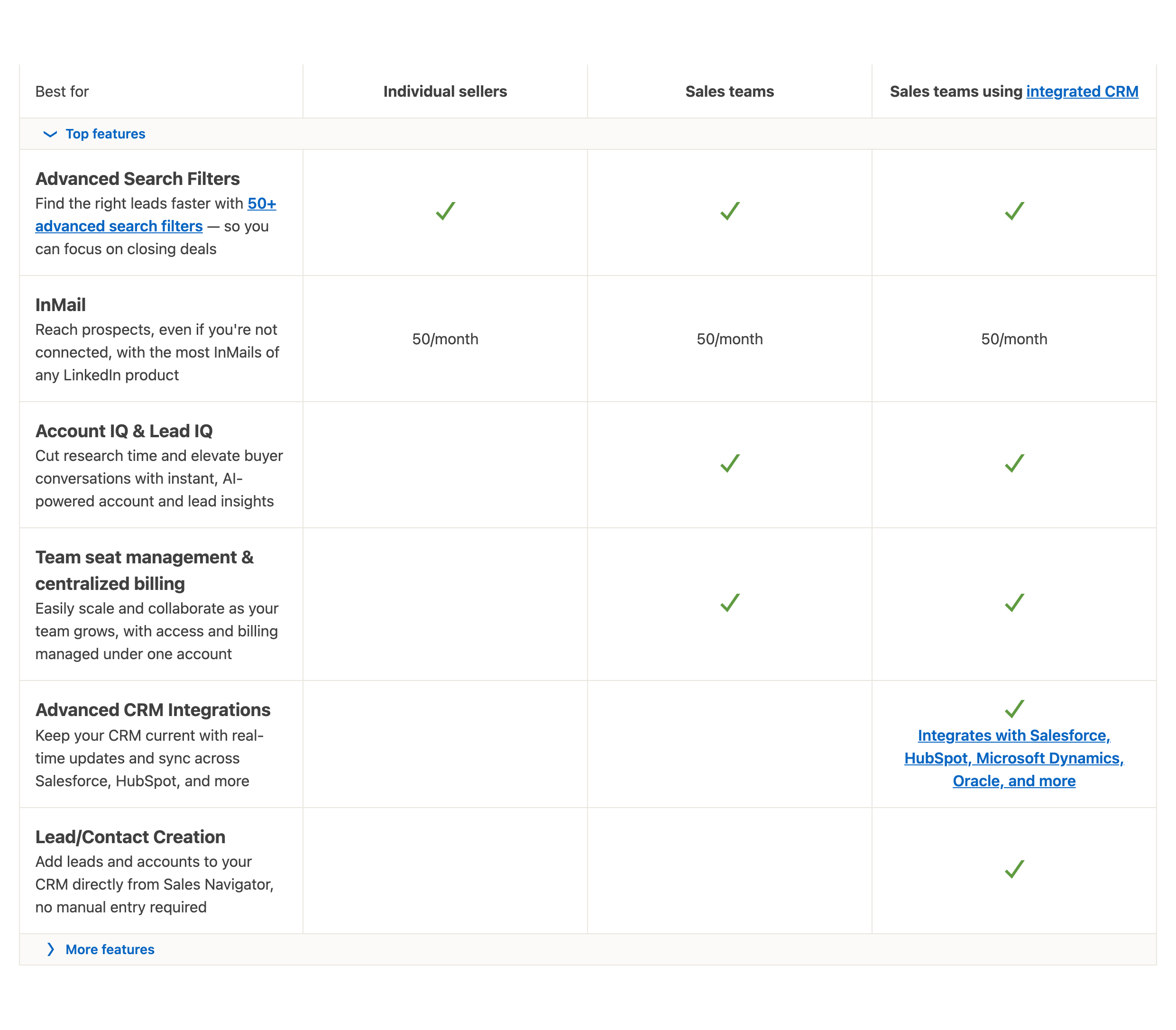
Two rows on that table settle most of this comparison. LinkedIn's table ticks the 50+ advanced search filters on every tier, though a few need Advanced or Advanced Plus, and every tier gets 50 InMails a month, so the cheapest Sales Navigator seat already carries the two things Premium buyers think they are paying up for.
The mistakes people make choosing
- Buying Premium Business "to start" for a sales role. Premium lacks the filters prospecting runs on, so a seller who builds lists ends up upgrading, and the interim months are wasted spend.
- Buying both. Sales Navigator includes the Premium perks that matter.
- Buying Sales Navigator and using it as fancy browsing. Without saved searches, alerts, and an extraction workflow, the seat delivers a fraction of its value; the export workflow is where the subscription pays out.
- Judging on InMail counts. Response rates track targeting quality more than credit volume, so filters beat credits.
- Ignoring the search caps. Sales Navigator shows at most 2,500 results per search, which matters the moment you work real territories.
The questions people actually decide on
Does Sales Navigator include what Premium has?
Effectively yes: InMail credits (more of them), who-viewed-your-profile, and unlimited browsing all come with Sales Navigator. There is barely a Premium exclusive left to point at. LinkedIn's own comparison table gives unlimited LinkedIn Learning to Sales Navigator Core as well as to every Premium tier; the Core gap is Top choice job, a feature for job seekers.
Can you trial both?
LinkedIn typically offers 30-day free trials on both products, but only to members who are not on any paid LinkedIn subscription, Premium included, and have not used a LinkedIn free trial before. An account gets one trial, so spend it on Sales Navigator: build three saved searches on your real ICP, and watch a week of alerts. If the alerts produce conversations, the seat pays for itself; if you never open the app, Premium Business or the free tier was your answer all along. Trials auto-convert, so calendar the cancellation date.
What about InMail as the deciding factor?
Premium Business includes 15 InMail credits, Sales Navigator 50. If InMail volume is your bottleneck, the math favors Sales Navigator anyway: the extra 35 credits plus targeting filters cost $50 more, and untargeted InMail burns credits on the wrong people. InMail response rates track targeting quality far more than message volume, and targeting is what Premium lacks.
Annual or monthly?
Sales Navigator Core drops about 25% on annual billing ($1,079.88 vs $1,439.88 paid monthly). Buy monthly for the first quarter until the workflow proves out, then switch to annual. Premium's annual discounts are the deeper ones: Career saves 50 percent a year and Business 36 percent, against Core's 25 percent, so the monthly-to-annual jump costs a Premium subscriber proportionally less than it costs a Sales Navigator seat.
What neither plan gives you
Neither plan gives you contact data: neither surfaces emails at useful scale, and neither exports. Every serious outbound team pairs the seat with an extraction and enrichment layer.
Is free LinkedIn enough for anyone?
Free LinkedIn caps commercial-intent searching quickly (the commercial use limit) and offers no filters beyond the basics. It does show full names and profiles across your 1st-, 2nd- and 3rd-degree network, according to LinkedIn, and it is enough for maintaining a presence, posting, and messaging first-degree connections. The upgrade trigger is search: the first month you hit the commercial use limit doing real prospecting is the month the decision makes itself. Job seekers who mostly apply and network can stay free far longer than LinkedIn's upgrade prompts imply.
The ROI math that settles it
Price the plans against one outcome. Sales Navigator Core on annual billing costs $1,079.88 a year against Premium Business at $539.88, so the gap is $540. For the decision to favor Premium, the filters, saved-search alerts, and list tooling must be worth less than $45 a month to your pipeline, which for any team holding a quota is an absurd bar: one incremental meeting a quarter clears it. The exceptions run the other way; if a year passes and the seat produced no lists, no alerts worked, and no extraction workflow exists around it, the problem is process, and no subscription tier fixes that.
Decision rules
Pick Premium Career if you are job hunting. Pick Premium Business if you network, research occasionally, and will not build prospect lists. Pick Sales Navigator Core if you run outbound or build prospect lists in any systematic way; and pair it with extraction tooling, or the subscription underdelivers.
If the only thing pushing you to Sales Navigator is finding contact data, the seat alone will not deliver it. Emails come from the enrichment layer, and finder accuracy varies more than most buyers expect; we measured a 2.6x spread between finders on identical input in the 1,000-lead enrichment benchmark we ran.
A note for recruiters weighing the same choice
For recruiters the answer is different: LinkedIn sells Recruiter Lite and the full Recruiter product for hiring workflows, with candidate-specific filters, projects, and InMail volumes beyond Sales Navigator's. Sales Navigator is not an option for that work: LinkedIn's Service Terms say it "must not be used, directly or indirectly, for recruitment, talent sourcing, candidate identification, or any hiring-related activities." If you hire, price the Recruiter tiers instead. Premium Career, meanwhile, is for the people being recruited.
Switching, downgrading, and cancelling
LinkedIn documents the exact steps in its cancel Premium subscription help page. All of LinkedIn's paid plans are month-to-month unless you chose annual billing, and the mechanics matter for sequencing your decision:
- Upgrading Premium to Sales Navigator takes effect immediately with prorated billing; nothing carries over except your account itself, since Premium has no lists or searches to migrate.
- Downgrading Sales Navigator loses your saved searches, lead lists, and notes. Export or extract anything you care about before the subscription lapses; this is why teams pipe their lists out continuously and keep their system of record outside Sales Navigator.
- Annual plans refund poorly mid-term.
- Trial cancellations must land before the trial ends or the paid month bills automatically.
The sequence that wastes the least money is the free tier until search limits bite, Sales Navigator monthly for a proving quarter, then annual, with Premium Business reserved for the people whose answer to "do you build prospect lists" is no.