WizLeads
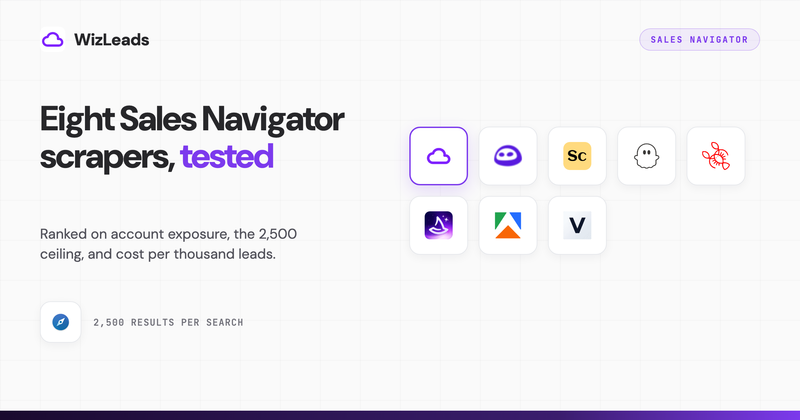

Search for a LinkedIn Sales Navigator scraper today and Google returns a product homepage with no pricing on it, a marketplace listing, two Reddit threads with three upvotes between them, and a free Chrome extension last updated in September 2024. That is the actual top five. Both Reddit threads state the same constraint: the search returns 5,000 results, Sales Navigator will only show 2,500, and every tool that solves it wants to sell email enrichment nobody asked for.
We build in this category. WizLeads is our product and it is first below, so read the pricing rather than the ranking, and read the two entries where competitors beat us on cost. Every price was read off the vendor's own page on 8 September 2026, which matters more than usual here: the Apify actor ranking second for this term changed its billing model on 20 August 2026, so every comparison post written before that quotes a rate that no longer exists.
What this ranking is based on
There is no single best Sales Navigator scraper, so the ranking below runs three tests, applied in this order.
Does your own LinkedIn session carry the extraction? This is the only structural difference between these tools, and it splits the list into two classes rather than eight shades: those that scrape Sales Navigator through an account of yours, and the one that does not. Everything else is a pricing argument.
What does the job cost, read off the vendor's own ladder? The standard job is 10,000 Sales Navigator leads exported with a work email attached to the roughly 60 percent that have one, so 6,000 emails. Each tool's credit rules are applied to that workload and the price shown is the cheapest plan tier covering it inside one month. That rule is unflattering to everyone including us, because a per-credit rate quoted off a vendor's largest plan always beats the invoice.
Does it get past 2,500 results without you doing it by hand? Sales Navigator stops paginating a people search at 100 pages and a company search at 1,000 results. Those ceilings are LinkedIn's, so no tool removes them, and the only question is who automates the workaround.
Where a tool publishes an email find rate below, it is that vendor's own marketing claim, labelled as such, and none disclose a sample size, an ICP or a verification method. Find rates in our own 1,000-lead enrichment benchmark ran from 25.9 percent to 67.0 percent across seven providers, a 2.6x spread, which is roughly the width of the gap those unqualified percentages are hiding.
The eight scrapers, compared
| # | Tool | Type | Your LinkedIn account | Past 2,500 | Emails | 10,000-lead job | Per 1,000 |
|---|---|---|---|---|---|---|---|
| 1 | WizLeads | cloud, account-less option | untouched in account-less mode | automatic link splitting | found and verified, 3 cr per hit | $99 | $9.90 |
| 2 | Vayne | cloud plus cookie sync | reads your session | automatic above 2,500 | included from Starter up | $49 | $4.90 |
| 3 | Apify actor | marketplace actor | you paste in your cookie | manual | on deep scrape, unverified | about $50 | $5.00 |
| 4 | Lobstr | cloud plus cookie extension | reads your session cookie | separate URL splitter tool | 9 cr per email found | $100 | $10.00 |
| 5 | Skrapp | extension plus lead search | runs as your session | daily search caps bind first | 1 cr per email, catch-alls billed | $129 | $12.90 |
| 6 | Scrupp | cloud plus cookie extension | reads your session cookie | split by hand | found and verified, misses free | $179 | $17.90 |
| 7 | Evaboot | Chrome extension | runs as your session | split by hand | found and verified, misses free | $299 | $29.90 |
| 8 | NioLeads | Chrome extension | runs as your session | 2,500 per account per 24h | 1 cr per email, leads free | $499 | $49.90 |
Two tools beat us on price and both run on your session. That trade is the argument of this page, and it sits in the open rather than in a footnote.
Account exposure is an architecture question
The two loudest pages on this search contradict each other flatly. One argues that Chrome extensions and cookie-based scrapers are the fastest way to get an account restricted. Three others argue that running inside your own logged-in browser at human speed is the safe option and that cloud extraction is what gets flagged. Neither side publishes a restriction rate or an account sample. We do not publish one either, and any vendor claiming a ban rate without a methodology is guessing.
What can be checked is where the request comes from, and that gives three classes.
Your browser is the client. Evaboot, Skrapp and NioLeads each ship a Sales Navigator scraper Chrome extension that runs inside your logged-in tab. The account making every request is yours, the pacing is whatever the vendor chose, and the exposure is real however carefully it is managed.
A server holds your cookie. Scrupp, Lobstr, Vayne and the Apify actor take your li_at session token and run the extraction server-side. This feels safer because your browser can be closed, and it is not: the cookie authenticates as you, with your seat, your saved lists and your connection graph, until it expires or you sign out of all sessions. Scrupp's FAQ is honest about the mechanism, saying the extension reads your cookies and the scraping runs server-side. The Apify actor has you paste the cookie into a form field, which is the same thing with the wrapper removed.
Nothing of yours is in the path. Only account-less extraction changes the shape of this, and only one tool here offers it. There is no session to throttle and no daily quota defending an account, because no account of yours made a request.
The 2,500 problem, and what actually solves it
Sales Navigator shows 100 pages of a people search, about 2,500 results, then stops. Company search stops at 1,000. Evaboot's own pricing FAQ states both numbers and attributes the ceiling to LinkedIn rather than to any vendor, which is why every tool here hits the same wall.
Splitting is the only answer, and most advice stops at "split by filter", which is where the work starts. A split works only when the sub-searches partition the original cleanly, so the axis has to be mutually exclusive. Headcount bands do this, since a company sits in exactly one. Geography works if the regions do not nest, and years in current role works. Seniority and keyword filters do not, because a VP of Sales Operations lands in two buckets and gets exported twice. After splitting, add the sub-search counts and reconcile them against the original before running anything: a gap means you dropped a segment, an overshoot means you are about to pay for duplicates.
Three tools take that off your hands. WizLeads splits automatically and deduplicates the output. Vayne's feature table lists automatic splitting above 2,500 profiles. Lobstr ships a standalone URL splitter you run first. Everywhere else it is manual, once per territory, repeated per client if you run an agency. The filter axes that survive a split are covered properly in the Sales Navigator export limits guide.
The eight scrapers
Every entry carries the same four slots. Price ladders are shortened to the entry tier, the tier that covers the standard job, and the top of the ladder.
1. WizLeads
Cloud extraction with no extension and no cookie to hand over, which is the one structural difference on this list.
Your account. Account-less mode runs on our infrastructure with no credentials, no cookie and no session of yours involved. It costs 2 credits per lead against 1 when you connect an account, which is the price of the isolation.
Past 2,500. Smart Link Splitting breaks an oversized search into sub-searches by geography, headcount and other filters, runs them in parallel and deduplicates. It is gated to the Agency plan and above, which is fair to hold against us at the entry tier.
Emails. Enrichment and verification run in the same pass at 3 credits per email actually found, nothing for misses, at a 50 to 60 percent find rate. Output is 35 fields per lead, via CSV or a REST API that Clay, n8n, Make and Zapier sit on.
Price and fit. Freelancer $39 for 10,000 credits, Agency $99 for 40,000, Kingpin $499 for 300,000, with quarterly billing tripling the credits at 25 percent off. The job takes 38,000 credits, landing on Agency at $99, and 5,000 leads finish in 15 to 20 minutes. Built for agencies, and for anyone whose LinkedIn account is worth more than the list.
2. Vayne
The cheapest verified price here, with a pricing page inconsistency worth knowing about before you buy.
Your account. Cookie-synced today. A site banner invites you onto a waiting list for a cookie-less Sales Navigator scraper, so the account-less version is announced rather than shipped. The FAQ requires a paid seat and says a free LinkedIn search account will not work.
Past 2,500. The feature table lists automatic splitting of queries above 2,500 profiles on every paid tier, which is rare at this price.
Emails. Email extraction appears on the feature table for paid plans, with no find rate published anywhere on the site.
Price and fit. Extraction runs $29 for 10,000 profiles a month, $49 for 20,000 and $159 for 100,000, with annual billing taking two months off. Emails are not on that meter at all, which is what the confusing toggle on the pricing page obscures. Vayne bills scraping credits and enrichment credits separately, and sells the second as its own packs: $19 for 500 emails, $37 for 1,000, $149 for 5,000, $289 for 10,000, up to $2,699 for 100,000, each valid 30 days. A phone number costs about twelve credits. The rule that matters is that enrichment credits are consumed only on a successful lookup and misses are refunded, so the pack size is a delivered count rather than an attempt count. A 10,000-lead scrape plus 10,000 emails is $29 of extraction against $289 of enrichment, and the enrichment is the real cost.
3. Apify Sales Navigator actor
A marketplace actor rather than a product, so no interface and no support desk, in exchange for the lowest per-record rate here.
Your account. Step three of its own instructions is to configure cookies, so you paste your session token into a form. It advertises random delays to avoid detection and says nothing about what happens when detection lands.
Past 2,500. Not addressed. You split by hand, or drive it through the peopleFilters inputs, which take company, title and region names instead of a search URL and resolve them through Sales Navigator's own typeahead.
Emails. Returned on deep scrape "when available", with no find rate and no verification step, so treat them as unverified.
Price and fit. It moved to pay-per-event on 20 August 2026, with new prices live from 3 September. Since 9 September a result costs $0.005 on every Apify plan, the free one included; for its first six days the free plan paid $0.008. The store's discount tiers map straight to subscriptions: Starter at $19 a month is BRONZE, Scale at $199 is SILVER, Business at $999 is GOLD, plus $0.0005 per actor start, on top of platform plans running Free with $5 of prepaid usage, Starter $19, Scale $199 and Business $999. Ten thousand results is $50 of usage. It carries 4.4 stars from 38 reviews and 8,619 lifetime users against 137 in the last 30 days. Right for engineers, given that the support route is the developer's personal Gmail address.
4. Lobstr
The cheapest way to get profile data out, and the most expensive email layer per unit on this list.
Your account. A Chrome extension syncs your session and the scrape runs server-side, capped at 5,000 profiles a day per connected account. Its FAQ is precise about the mechanism, saying it uses session cookies rather than your username and password.
Past 2,500. A standalone Sales Navigator URL splitter is published free on the site. You run it first, then feed the sub-searches in.
Emails. Enrichment costs 9 credits per lead on top of the 1-credit export, mobile costs 300, and output runs to 103 attributes. It claims over 97 percent of emails verified without a published test. This scraper handles lead searches only, so company searches need a different tool.
Price and fit. Free at 100 credits with exports capped at 30 rows per request, Starter $20 for 10,000, Pro $100 for 100,000, Team $500 for a million. Credits do not roll over, which is the sharpest thing to hold against it. The job is 64,000 credits and lands on Pro at $100, while profiles alone are Starter at $20, the cheapest line on this page. Suited to URL harvesting where you already own an enrichment stack.
5. Skrapp
An email finder with a Sales Navigator export attached rather than the other way round, and the credit model reflects that.
Your account. The extension runs inside your logged-in session across LinkedIn Basic, Sales Navigator and Recruiter.
Past 2,500. The ceiling rarely stops you here because the plan's daily search caps bind first. Professional tiers allow 20 people searches a day at 100 results each, so 2,000 leads a day and five days for the standard job. Enterprise raises that to 150 searches at 400 results.
Emails. Credits are email credits only, so exports and searches cost nothing and each credit buys one address returned as valid or catch-all, or one verification. Paying full price for a catch-all is the thing to watch, since it is an unresolved result rather than a delivered one. The site claims a 92 percent success rate with no published method.
Price and fit. Free at 50 credits, then $39 for 2,000, $129 for 10,000 and up to $1,499 for 500,000, with annual billing 25 percent off. Credits roll over and survive cancellation, so six thousand emails needs the 10,000 tier at $129. Works for steady mid-volume prospecting where rollover matters and a five-day export window is acceptable.
6. Scrupp
The clearest pricing page in the category, and the only competitor here publishing a head-to-head test, however thin the methodology.
Your account. The extension connects to your LinkedIn or Apollo session so Scrupp can read your cookies, then runs the scrape in the cloud. Its FAQ answers the safety question with throttling and rate limiting, then adds that risk is reduced rather than removed, which is more candid than most of this search.
Past 2,500. Documented correctly as LinkedIn's own ceiling, with advice to split by industry, seniority or geography. No automation.
Emails. One credit per verified email, two per direct phone, misses free. It claims a 65 percent average find rate qualified to US SaaS ICPs and under 5 percent bounce. Its four-tool comparison table is footnoted to a single 500-lead search on one ICP on one day, with no raw data published.
Price and fit. Starter $29 for 1,000 credits, $99 for 10,000, $179 for 20,000, up to $599 for 100,000, with 20 percent off yearly, plus one-time packs that never expire from $35 for 1,000 to $719 for 100,000. The job is 16,000 credits, overshooting the 10,000 tier onto 20,000 at $179, or $215 as a pack. Good for agencies wanting lifetime packs for one-off client lists.
7. Evaboot
The default answer on this search, ranked first for every head term, and the most expensive mainstream option once you price the job.
Your account. Every export travels through your own logged-in session. The pricing FAQ requires an active seat and allows unlimited connected seats at no extra cost, which is unusual in a category that mostly bills per seat.
Past 2,500. The FAQ gives both ceilings, 2,500 leads and 1,000 companies, attributes them to LinkedIn, and tells you to split by headcount, geography or industry. Correct advice, and an hour of work every time a territory outgrows one search.
Emails. One credit per email found and verified, nothing for misses, so a lead with an email costs two credits, and no find rate is published. What reviewers actually name is the filter-matching cleanup, which re-checks every result against your Sales Navigator filters and flags rows that do not match, catching the false positives LinkedIn search returns past the first few pages. Nothing else here replicates it.
Price and fit. One plan on a volume slider, from $9 for 100 credits through $99 for 4,000 and $299 for 20,000 up to $1,699 for 200,000, with yearly billing costing ten months and credits rolling over while the subscription is active. The job is 16,000 credits, overshooting the 8,000 tier onto 20,000 at $299, and there is no free tier. Worth it under about 4,000 leads a month, where the ergonomics beat everything here, and past that the alternatives are worth pricing.
8. NioLeads
The most operationally honest page on this search about daily limits, attached to the widest pricing gap on this list.
Your account. A Chrome extension running in your session. Its FAQ enforces a ceiling rather than describing one: 2,500 leads per 24 hours per Sales Navigator account, and the tool will not let you exceed it because doing so may put the account at risk of a ban. That makes it the only tool here treating 2,500 as a safety governor rather than a number in the UI.
Past 2,500. Recast as a daily cap rather than a per-search one. It exports search results, saved lead lists, system-generated lists and LinkedIn group members, and group member export is something nothing else here offers.
Emails. One credit per email found, and leads without emails cost nothing, so the scrape itself is free. It claims 20 percent more verified emails than competitors without naming a competitor or an absolute rate. Output is 29 data points.
Price and fit. Free at 30 credits, Starter $29 for 500, Basic $39 for 1,000, then straight to Enterprise at $499 for 50,000, with annual billing saving two months. Nothing sits between 1,000 credits and 50,000, so the moment you need more than 1,000 emails a month the price goes from $39 to $499, and the job costs $499. Sensible under 1,000 emails a month and unusable above it.
Two that rank but are not on the list
PhantomBuster and Wiza both surface on this search and both fail the criterion, for different reasons. PhantomBuster is an automation platform with a Sales Navigator export inside it, priced on execution hours and email credits rather than on leads: Start is $56 a month billed $672 annually, Grow $128 billed $1,536 and Scale $352 billed $4,224, and 6,000 emails overshoots Grow onto Scale. Wiza's annual plans cap exports at 2,500 a month regardless of how many emails you reveal, so the job takes four months on a $990-a-year seat, and its monthly Email plan at $99 for 500 emails plus $0.15 per extra prices it at $924. Wiza is the better contact-data tool of the two, returning 671 emails per 1,000 leads in our enrichment benchmark. Neither is a sensible way to buy a Sales Navigator list.
If you only want profile URLs
The clearest unmet demand on this search comes from a Reddit post asking for nothing but the LinkedIn URLs of every result, and complaining that every tool is either too expensive or bundles emails and phone numbers the buyer explicitly does not want. Nobody in the top ten answers it.
Strip the enrichment and any Sales Navigator export tool here is doing one job, 10,000 profile exports. Lobstr runs it for $20 on Starter, Vayne for $29 on Freelance, WizLeads for $39 with a connected account or $99 account-less, Apify for $50 in platform usage, and Scrupp for $99. Evaboot is $299 either way, because 10,000 credits overshoots its 8,000 tier whether or not you buy emails. Skrapp cannot do it in this shape at all, since its credits are email credits and its search caps govern the export instead.
The bill nobody puts in the comparison
Seven of these eight need a live Sales Navigator seat, and none of the pages ranking for this term add that to the total. Core is $119.99 a month and Advanced is $159.99. Against a $49 Vayne plan or a $99 Evaboot plan, LinkedIn is the larger line item, and on the cheapest options the seat costs three to six times the scraper.
That changes what cheap means. A $20 Lobstr plan on top of a $119.99 seat is $139.99 a month, while WizLeads account-less at $99 needs no seat at all. If you already pay for Sales Navigator for the filters and the InMails, the seat is sunk and the scraper price is the whole decision. If you are buying the seat only to feed a scraper, price the pair, and what a seat actually costs is worth reading first.
How to choose
Pick on the constraint that binds, not the ranking.
If your LinkedIn account is the asset, take the account-less route and pay the premium for it. If price per profile dominates and the seat already exists, Vayne at $49 and Lobstr at $20 for profiles are the two cheapest verified numbers here. If you are wiring this into a pipeline, the Apify actor and a REST API beat any interface. If you export a few thousand leads a month and want it to be boring, Evaboot earns its price.
Whichever you pick, run one real list before you buy a year of anything. The step-by-step version of that first export is in the Sales Navigator export walkthrough. WizLeads gives you the 10,000-credit plan for $1 in the first month, which is enough to run a territory rather than a demo.
Frequently asked questions
What is the best LinkedIn Sales Navigator scraper in 2026?
It depends which constraint binds first. To keep your own LinkedIn session out of the extraction, WizLeads is the only tool here with an account-less mode, and it runs 10,000 leads with emails for $99. For the lowest verified cost on that job, Vayne at $49 or the Apify actor at about $50, both of which run on your session. For profile URLs alone, Lobstr at $20. For the smoothest one-click export, Evaboot at $299. Every figure was read off the vendor's own pricing page on 8 September 2026.
Will LinkedIn ban you for scraping Sales Navigator?
No vendor on this search publishes ban data, so treat every safety claim as an assertion rather than evidence. What is observable is architecture. A Chrome extension acts as your logged-in session, so the account carrying the risk is yours. A cloud tool holding your li_at session cookie is in the same position, because that cookie authenticates as you until it expires. A scraper that never touches your session leaves nothing of yours to restrict.
How do you scrape more than 2,500 results from a Sales Navigator search?
You split the search. Sales Navigator stops paginating a people search at 100 pages, roughly 2,500 results, and stops a company search at 1,000. No scraper removes that ceiling because it belongs to LinkedIn. Partition on a filter axis whose values are mutually exclusive, so headcount bands, geography or years in current role rather than keywords or seniority, then check the sub-search counts add back up to the original. WizLeads, Vayne and Lobstr are the three tools that help with this.
Do you need a Sales Navigator seat to use a Sales Navigator scraper?
For almost all of them, yes. Evaboot's pricing FAQ states it outright: the tool exports the results of your own Sales Navigator searches, so an active seat is required, and Vayne's FAQ adds that a free LinkedIn search account will not work. Scrupp, NioLeads, Lobstr, Skrapp and the Apify actor all read a search you are already logged into. WizLeads in account-less mode is the exception. Core is $119.99 a month and Advanced $159.99, so on most of these tools the seat costs more than the scraper.
What does it cost to scrape 10,000 Sales Navigator leads with emails?
Priced on the cheapest plan tier covering 10,000 leads plus emails on the roughly 60 percent that have one, read off each vendor's ladder on 8 September 2026: Vayne $49, Apify about $50 in platform usage, WizLeads $99, Lobstr $100, Skrapp $129, Scrupp $179, Evaboot $299 and NioLeads $499. Divide by ten for a cost per 1,000 leads. A Sales Navigator seat sits on top of all but WizLeads account-less.
Is there a free LinkedIn Sales Navigator scraper?
There are free tiers, and one free Chrome extension Google ranks in the top five for this query. That extension is version 1.0, last updated 2 September 2024, 6.29 KiB in size, rated 3.1 out of 5 from 7 ratings, and published by an individual on a personal Gmail address. It downloads names, titles, locations and companies to CSV and does nothing else. Among the paid tools, Lobstr gives 100 credits a month capped at 30 rows per export, Vayne 200 leads, Scrupp 100 leads with no card, Skrapp 50 credits, NioLeads 30, and Apify $5 of platform usage. Evaboot has no free tier and starts at $9.
What does handing over your LinkedIn cookie actually give a scraper?
The li_at cookie is the session token LinkedIn issues after you sign in. Anything holding it is authenticated as you, with your Sales Navigator seat, your saved lists, your InMail balance and your connection graph, until the token expires or you sign out of all sessions. That is why cookie-based tools and Chrome extensions sit in the same risk class even though they feel different: one borrows the session in your browser, the other copies it to a server. Signing out of all sessions is the revocation control.