WizLeads


TL;DR
A lead in sales is a person or company that could buy from you and that you have recorded so someone can follow up. That is the working definition in this guide, and it is looser than some you will read elsewhere. The sources split on whether a lead must have shown interest first, which decides whether a list you built yourself counts as leads at all. A CRM stores lead type, source and score in separate fields, so you can label each row and decide who gets contacted first, and you should pick one definition, write it in your CRM notes and apply it every time.
What is a lead in sales?
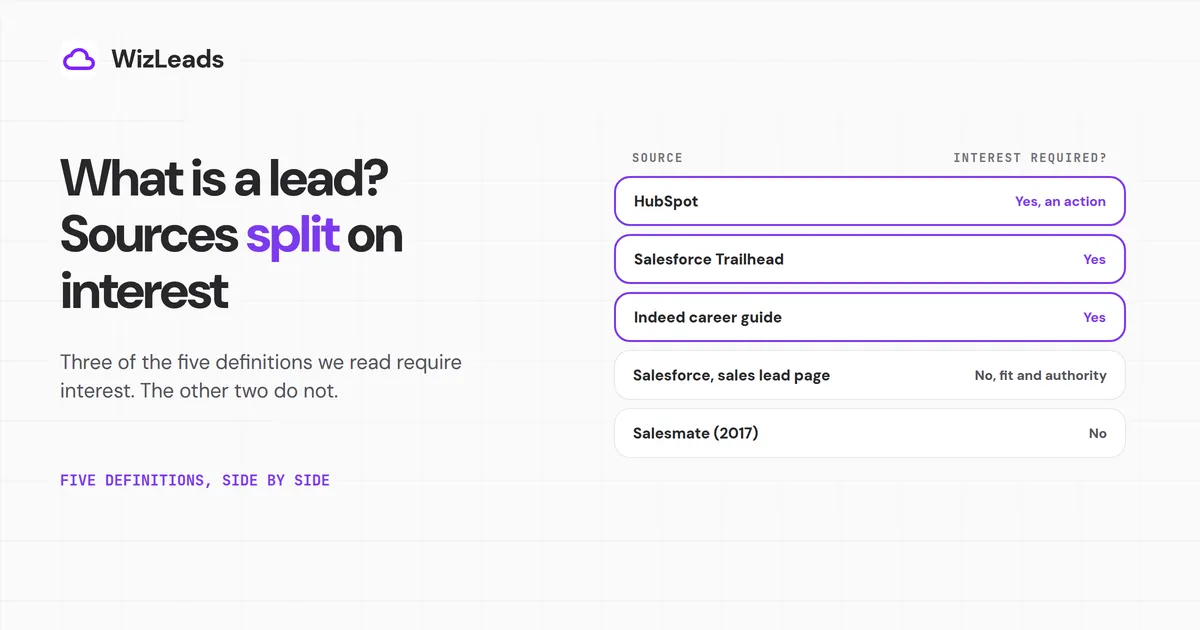
Interest is the dividing line. Salesforce's Trailhead describes a lead as a potential prospect, person or company, that has expressed interest and has not yet become a customer. HubSpot's lifecycle stage documentation says a Lead is a contact that has converted on your website or through another interaction beyond a subscription sign-up. Indeed's career guide calls a lead a consumer who is interested in what your company offers.
Other pages drop the requirement, and one of them is Salesforce's own. Salesforce's "What is a sales lead?" page calls a lead a person, department or company that might fit your product and has the authority to buy it. It says nothing about interest, so Salesforce's own pages disagree. Salesmate's 2017 post counts anyone with even a slight chance of buying.
| Source | How it describes a lead | Interest required? |
|---|---|---|
| HubSpot, lifecycle stage Lead | A contact that converted beyond a subscription sign-up | Yes, an action |
| Salesforce Trailhead | A potential prospect that expressed interest | Yes |
| Indeed career guide | A consumer interested in what the company offers | Yes |
| Salesforce, "What is a sales lead?" page | A possible fit with the authority to buy | No, fit and authority |
| Salesmate (2017) | Anyone with some chance of buying | No |
The table is our grouping of what each page says. Trailhead defines a lead by interest, and the same page says you can add leads by importing a file. It does not say whether the people in that file have shown interest, so we read it as leaving the question open for an outbound list.
The choice has one practical effect on your list. Under the interest rule, a list you pulled from a search is a list of names until someone replies. Under the looser rule, it is already leads.
Neither reading is wrong. The types, sources and scores below all depend on which one you pick. For outbound work we use the looser one and label those leads cold.
Types of leads
Two sets of labels get called lead types, and they answer different questions. Cold, warm and hot describe how close someone is to buying. Subscriber, Lead, MQL and SQL describe how far a record has moved through your process. A CRM stores each set in a different field.
| Type | What it means | Where a CRM stores it |
|---|---|---|
| Cold lead | Fits your customer profile, no contact or response yet (our usage) | Salesforce Lead Rating, example value |
| Warm lead | Has replied, clicked, attended or been introduced, and has not asked to buy (our usage) | Salesforce Lead Rating, example value |
| Hot lead | Has asked about pricing, a demo or buying (our usage) | Salesforce Lead Rating, example value |
| Subscriber | Opted in to hear from you by signing up for a blog or newsletter | HubSpot lifecycle stage |
| Lead | Converted on your site or through another interaction beyond a subscription | HubSpot lifecycle stage |
| Marketing qualified lead (MQL) | Marketing has qualified it as ready for the sales team | HubSpot lifecycle stage |
| Sales qualified lead (SQL) | Sales has qualified it as a potential customer | HubSpot lifecycle stage, with sub-stages in Lead Status |
Cold, warm and hot leads
Salesforce's lead field reference describes Rating as a picklist whose example values are Hot, Warm and Cold, with the actual values set by an administrator. That page does not define the three words, so the definitions in the table are ours. They have one test each: have you had contact, has the person engaged, and has the person asked to buy.
A hot lead is a judgment rather than a measurement. Two reps can rate the same reply differently, which is a reason to write down what each rating means before the team starts using it.
MQL vs SQL
HubSpot's lifecycle stage page defines a marketing qualified lead as a contact your marketing team has qualified as ready for the sales team, and a sales qualified lead as a contact your sales team has qualified as a potential customer. The difference between them is who made the call, and the rule behind the call is yours. The page adds that you can customize the default stages or create your own.
Stages are labels, and they can move. In HubSpot you can set a record back to an earlier lifecycle stage by hand, so a lead that goes quiet can return to Lead. In Salesforce, a lead conversion cannot be reversed, so decide when to convert before you convert in bulk.
Lead sources: inbound and outbound
A lead source records where a lead came from. The useful split is who made the first move. Inbound leads came to you, through a form, a search result, an ad or a referral. Outbound leads are people you went and found.
Inbound leads
Inbound leads arrive with a trail. HubSpot's traffic source properties record how a contact first and most recently interacted with you, using fixed values: organic search, paid search, paid social, organic social, email marketing, AI referrals, other campaigns, referrals, direct traffic and offline sources. Salesforce's lead field reference gives Advertisement, Partner and Web as example Lead Source values, and Trailhead lists customer references, website contact forms, information exchanges with partner companies, ads and conferences or trade shows as ways to find leads. Inbound leads usually pass the interest test in the table above, since the person acted first.
Outbound leads
Outbound leads are a list you build, so they pass the looser definitions only. The source field is easy to get wrong. The same HubSpot page says its Record Source property, not the traffic source, tells you how a record was created, including by import or integration, and recommends it over the Offline sources value for that purpose. In any CRM, give an imported list its own source value, such as "Outbound: Sales Navigator", so you can compare how each source performs later.
Building an outbound list has three parts: a search that matches your ideal customer profile, contact details for each person and a check that the details work.
For the first part, you can send the search to a tool like WizLeads, which scrapes Sales Navigator. It takes the search URL and returns the results as rows, at 1 credit per result with your own LinkedIn account connected and 2 credits per result without it. LinkedIn's help centre says it does not permit third-party software that scrapes or automates activity on LinkedIn, and connected mode runs on your own account. Someone without Sales Navigator access cannot produce the search URL and cannot use it.
For cost, a 1,000-result search scraped without your account is 2,000 credits, which is $7.80 pro-rata on the Freelancer plan, $39 a month for 10,000 credits, a unit cost rather than a bill.
Lead scoring
Scoring gives each lead a number so a team can sort them. HubSpot's lead scoring documentation separates two kinds. Engagement scores qualify a record by its actions, such as visiting your website, clicking a call to action or opening a marketing email. Fit scores qualify it by properties such as job title, company size or annual revenue.
Fit is your ideal customer profile written as fields, and engagement is how the person has behaved.
HubSpot combines the two into labels from A1 to C3. The letter is fit, where A is high and C is low, and the number is engagement, where 1 is high and 3 is low. HubSpot's own example is a low-fit but highly engaged contact, which scores C1.
| Fit \ Engagement | 1 (high) | 2 (medium) | 3 (low) |
|---|---|---|---|
| A (high fit) | A1 | A2 | A3 |
| B (medium fit) | B1 | B2 | B3 |
| C (low fit) | C1 | C2 | C3 |
HubSpot's worked example caps the engagement score at 100 points, with a sales group capped at 60 and a marketing group capped at 40. A booked meeting is worth 10 points, a marketing email open 2 and an email link click 5. A contact who books a meeting, opens 2 emails and clicks 3 links scores 10 from the sales group and 2 x 2 + 3 x 5 = 19 from the marketing group, so 29 in total.
HubSpot's example thresholds put 70 to 100 in the high band and 40 to 69 in the medium band, which leaves 29 in the low band. You set your own thresholds, and 29 of 100 is a reminder that a booked meeting and a few clicks do not make a hot lead on their own.
Scores also fade. HubSpot lets you set score decay to every 1, 3, 6 or 12 months, with each month counted as 30 days, so old activity counts for less, and can drop to zero if you set 100% decay. The scoring tool sits on HubSpot's Professional and Enterprise tiers of Marketing Hub and Sales Hub, and contact scores like the one above need Marketing Hub. Without it, a founder can use two spreadsheet columns instead: a fit letter from your profile and an engagement number from replies and clicks.
A cold lead has no engagement yet, so in HubSpot's example bands its engagement number starts at 3. Fit is the only score you can set before the first message, and it is the one to work on first when you build an outbound list.
From MQL to SQL: the handoff
The handoff is where a lead stops being a name on a list and becomes someone sales spends time on. In a team with a marketing function, marketing passes an MQL to sales and a sales rep checks it. In a larger team, an SDR can make that check. If you are a founder running your own outbound, you are both sides, and you can skip the MQL stage and go from lead to SQL when someone shows a reason to talk.
The sales-side check can follow a framework such as BANT, which asks about budget, authority, need and timing. Our prospect vs lead vs customer guide lays out BANT and the other common frameworks, so we do not repeat them here. To sort a list quickly, ask three questions of each lead in order:
- Does the person fit your customer profile? If not, stop.
- Is there any sign of interest, such as a reply, a click or an introduction? If so, move them up.
- Is there a reason to talk now, such as a stated need or a deadline? If so, call them first.
Leads that pass the first question and fail the others stay cold and go into a sequence, the routine our sales prospecting guide covers from the list to the first message.
What people mean by lead sales
Some people searching for lead sales mean buying leads from someone else. Clutch's guide to hiring a lead generation firm gives pay-per-lead pricing of $20 to $150 or more per qualified lead, monthly retainers of $2,000 to $15,000 and revenue-share deals of 5% to 20% of closed-deal value. Clutch presents those as typical costs of hiring an agency, and our guide to B2B lead generation companies compares the pricing pages of nine agencies, because there is no market price for a lead as such.
A bought lead needs the same labels as any other: a source value, a fit letter and a note on whether it counts as a lead under your definition.