WizLeads


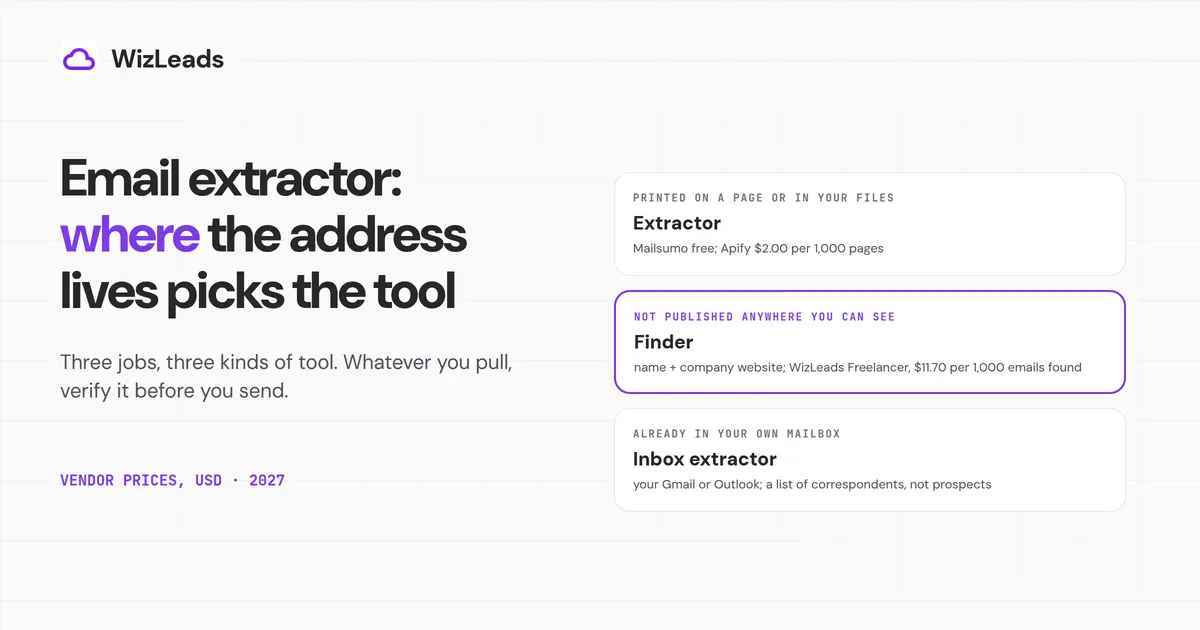
An email extractor pulls address-shaped text out of something you already hold: a web page, a block of pasted text, a file or a mailbox. If an address is nowhere you can see it, the tool has nothing to pull, and whatever it does pull is not checked. That leaves three jobs and three kinds of tool. If the address is printed on a page or sits in text you have, a free extractor reads it in seconds. If it is not printed anywhere, you need a finder that takes a name and a company website. If it sits in your own Gmail or Outlook, you need an inbox extractor. Whichever you pick, verify the list before you send and check which rules apply to the people on it.
Every price below is from the vendor's own page, in USD, as of October 2026.
Where the address lives decides the tool
On 2026-10-09 the top ten Google US results for "email extractor" were tool pages, a video and a download site, with no guide among them, and most cover one source type. Start with this table.
| Where the address is | What you give the tool | Tool type | What comes back | Main risk |
|---|---|---|---|---|
| Printed on a page, or in text or files you hold | A page, a list of URLs, pasted text or a file | Extractor | Every address-shaped string in it | Role inboxes, seeded traps, nothing confirmed |
| Not published where you can see it | A name and a company website | Finder | One address per person, from a database or a pattern | Misses, and credit rules that differ by vendor |
| Already in your own mailbox | Your Gmail or Outlook | Inbox extractor | Senders and recipients from your mail | A list of correspondents, not prospects |
Extract emails from website pages or pasted text
We order this section by what you hand the tool: a page, a block of text, a list of sites, then files on disk.
| Tool | Input | Price | Limit |
|---|---|---|---|
| Mailsumo Email Extractor (Chrome) | The page you have open; Premium takes a list of URLs | Free; Premium $9.99 a month billed yearly ($119.88) or $14.99 month to month | Free: unlimited pages, copy to clipboard. CSV and Excel export, AutoSave and up to 1,000 URLs per run are Premium |
| Email Hippo free extractor | Pasted text, or one URL | Free | Text up to 50,000 characters, one URL per request |
| BillionVerify extractor | Pasted text or a TXT or CSV file; Chrome and Firefox add-ons | Free | "No quota", per the vendor |
| email-checker.net | Pasted text | Free under a fair-use limit; premium by contacting them, no price shown | 100,000 characters per paste |
| Spunkyworld, Browserling | Pasted text | Browserling says free; Spunkyworld shows no price | Paste-only tools |
| Apify Contact Details Scraper | A list of URLs it crawls | $0.002 per scraped page on Free and Bronze ($2.00 per 1,000 pages) | $5 a month of prepaid usage on Apify's Free plan |
| Maxprog eMail Extractor (desktop) | Files, folders, mailbox files, single web pages | $49.95 list, $34.95 offer shown, one time plus taxes | macOS and Windows |
One page at a time: the Chrome extension
Of the extractors that show an install count, Mailsumo's Email Extractor has the most. The Chrome Web Store shows 400,000 users and 4.7 from 3.5K ratings, last updated 3 October 2026. Mailsumo's own site says 3.7K reviews, so we quote the store figure.
For an email extractor Chrome extension on the occasional page, the free tier does the job: extract, copy to the clipboard, unlimited pages, no sign-up (export is Premium, per Mailsumo's pricing card). Premium is where the automation sits, and Mailsumo's pricing is $9.99 a month billed yearly (that is $119.88 a year) or $14.99 month to month. The toggle says "Save 33%", and the arithmetic gives 33.4%. Premium adds AutoSave, cloud storage, CSV and Excel export and automation of up to 1,000 URLs per run.
Two behaviours matter more than the price. The extension reads the page source rather than the visible text, and its store listing says it "has no relevance to what you see on the front". It also does not decode addresses spelled out as "name [at] domain [dot] com", though it does read mailto links. Its listing says: "This extension is not developed with an intention to spam people with your marketing mails, so use it for your personal stuff only." Mailsumo's own site, by contrast, says 400,000+ people use the tool to build lead lists. Nothing on the listing mentions verification or consent.
Pasted text and a single URL: the free web tools
When you already hold the text, a free email extractor is a web page with a box. Email Hippo's extractor takes up to 50,000 characters of text or one URL per request and shows where each address was extracted from. BillionVerify's extractor takes pasted text or a TXT or CSV file and says it runs in your browser with no quota, which is its claim, not our test. email-checker.net accepts 100,000 characters per paste under a fair-use limit, with a premium tier you have to contact them about. Spunkyworld's Email Extractor Lite adds sorting and a filter that includes or excludes addresses containing a string, which is a quick way to keep one domain. Browserling is text in, addresses out.
None of these checks anything beyond the pattern.
Many sites at once: Apify
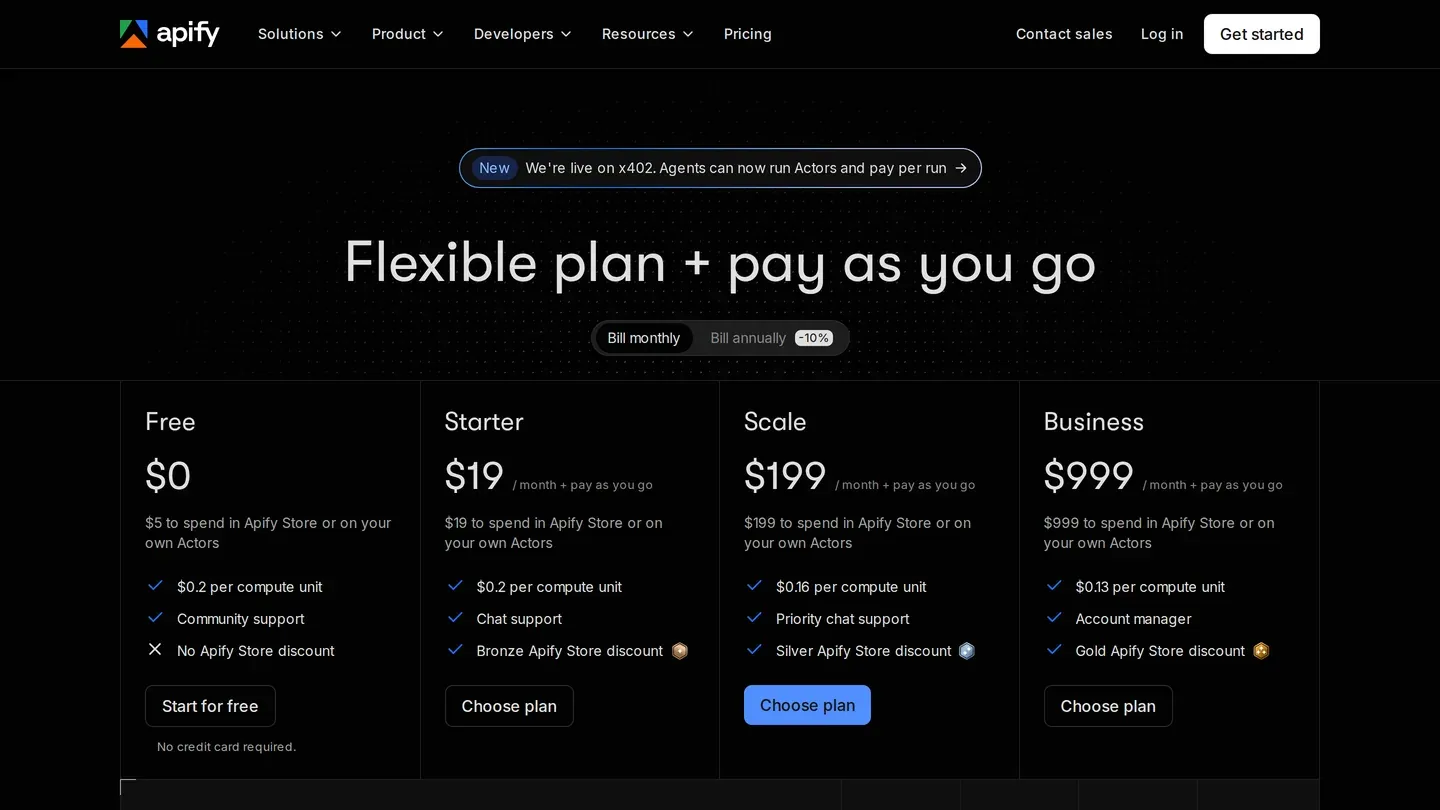
Source: Apify pricing page. Starter carries the Bronze store discount and Scale the Silver, the tiers the scraper's per-page price follows.
To extract emails from a website at scale, you want something that crawls. The Contact Details Scraper on Apify takes a list of URLs and returns emails, phone numbers and social profiles it finds. Its listed price is $0.002 per scraped page on the Free and Bronze tiers, which recomputes to $2.00 per 1,000 pages, and $0.0015 on Silver, which is $1.50 per 1,000. A start fee of $0.001 per actor start per GB is extra. Apify's pricing page lists $5 a month of prepaid usage on the Free plan, which covers 2,500 pages at $0.002 before start fees. Apify's $19 Starter plan is the Bronze tier.
The trade against a browser extension is setup: Apify is a platform you configure, not a toolbar button. The gain is volume. A list of 10,000 pages costs about $20.00 on the Free or Bronze tier before start fees, with no clicking through pages one at a time.
Files on your disk: Maxprog
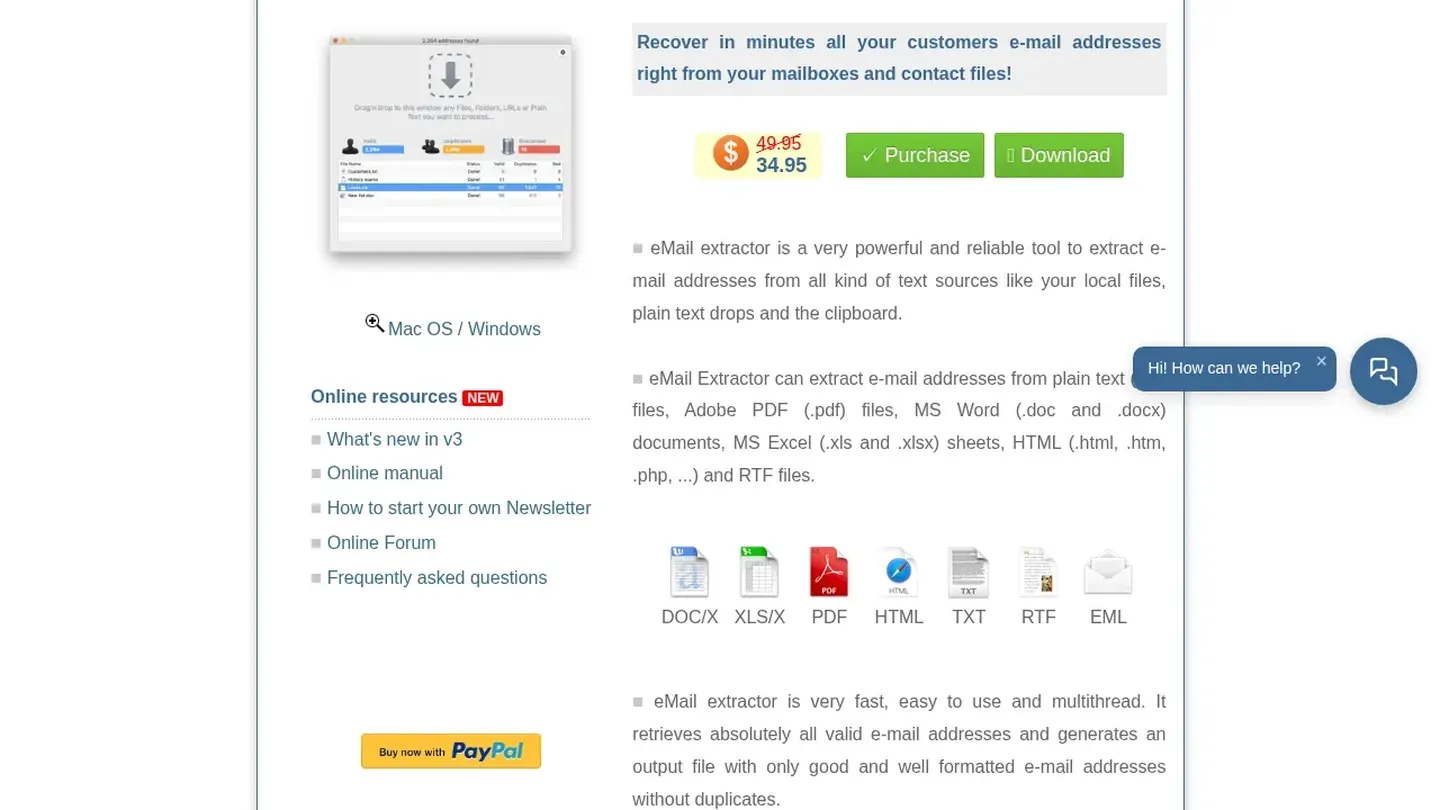
Source: Maxprog eMail Extractor product page. The 34.95 is the deal-of-the-day price; 49.95 is the list price.
Maxprog's eMail Extractor is a desktop app for macOS and Windows that reads TXT, PDF, Word, Excel, HTML, RTF and EML files, mailbox files with .mbox and .mbx extensions, zip archives, and single web pages dragged in. It is $49.95 list with a "deal of the day" at $34.95 plus taxes and a countdown timer. The page labels the offer -31%, and the arithmetic gives 30.0%. It is a one-time price, which suits a folder of old PDFs better than a recurring crawl.
What a page extractor really returns
An extractor returns every string shaped like an address. That is the whole job, and it explains four things in the output.
Role inboxes come back mixed in with people. info@, sales@, admin@ and postmaster@ are all address-shaped. Spamhaus says role addresses such as postmaster@, abuse@ and admin@, published in WHOIS records, are frequently harvested and mailed, calls them a special type of live trap, and adds that they "should almost NEVER be on a marketing mailing list."
Source-code addresses come back too. Because a tool like Mailsumo reads page source, it can return an address no visitor ever sees. Spamhaus describes seeded traps as addresses trap owners deliberately scatter in places that are not obvious, "in webpage source code, for example", which it says show that the sender is scraping addresses or buying lists from someone who is. Not every hidden address is a trap, but a source-reading extractor looks in the place Spamhaus names.
Obfuscated addresses do not come back. "name [at] domain [dot] com" is invisible to a pattern match, and Mailsumo says it is not decoded.
Nothing comes back verified. Email Hippo's page puts it this way: "Finding an address does not confirm that its mailbox exists or can receive email." BillionVerify says an extractor "proves an address appeared in text, not that it works". We have not measured an accuracy rate for any page extractor, so we do not offer one.
When the address is not on the page: finders
A page that prints no address gives an extractor nothing to find. You need a finder: you give it a name and a company website, and it returns an address. Our email finder tools post holds the full roster. This table is only the entry price and credit rule for six finders, so you can see how the billing differs.
We order the table by entry-plan cost per 1,000 addresses found, lowest first, on monthly billing, pro-rata. That is a unit cost, not a bill, because the entry plans differ in size and none of these numbers adjusts for how often each finder finds anything.
| Finder | Entry plan | Credit rule | Cost per 1,000 found (pro-rata) | Source and date |
|---|---|---|---|---|
| WizLeads Find Work Email | Freelancer $39 a month, 10,000 credits | 3 credits per email found; misses free | $11.70 | API doc v1.5.0 and owner-confirmed pricing, 2026-09-18 |
| IcyPeas | $19 plus VAT a month, 1,000 credits | 1 credit per found email | $19.00 | Vendor page, 2026-10-09 |
| Skrapp | $39 a month, 2,000 credits | 1 credit per email found for the first time; not found is free | $19.50 | Vendor page and API docs, 2026-10-19 |
| Hunter | Starter $49 a month, or $34 a month billed yearly, 2,000 credits | 1 credit = 1 email found via Domain Search, Email Finder or Bulk Email Finder | $24.50 monthly, $17.00 yearly | Vendor page, 2026-10-09 |
| Snov.io | Starter $39 a month, 1,000 credits | 1 credit per email returned green or yellow; none when nothing is found | $39.00 | Vendor docs, 2026-09-18 |
| Anymail Finder | $29 a month (US price), 400 credits | 1 credit only if a verified email is found | $72.50 | Vendor page, 2026-10-09 |
On yearly billing Hunter drops to $17.00, below IcyPeas and Skrapp, so the order depends on the billing term. Hunter's Free plan gives 50 credits a month, and Bulk Domain Search counts one credit for up to 10 emails, a separate meter. The Chrome Web Store shows 600,000 users for Hunter's extension and 400,000 for Snov.io's.
WizLeads is not an extractor for web pages or inboxes. Its Find Work Email takes a first name or full name, an optional last name and the company website. It does not take a LinkedIn profile URL or a company name. The API doc says every email it returns is valid and catch-all verified, a miss is not charged, and repeating a lookup within 72 hours is served from cache free. At 3 credits per email found, the $39 Freelancer plan works out to $11.70 per 1,000 emails found, pro-rata, and the free tier is 500 credits once, about 166 emails found. After signup the 10,000-credit plan is $1 for the first month, with 20% off for life if you continue (shown on the billing page after you log in).
LinkedIn: a short detour
A page extractor pointed at a LinkedIn profile has little to read. LinkedIn's help centre says a member's primary email is by default visible only to their direct connections. The pipeline that does produce a work address from a profile is laid out in the LinkedIn email scraper post, so we do not repeat it here.
Extract emails from your own inbox
The third source is mail you already received. An inbox extractor reads headers and bodies and lists the people in them, so what you get is correspondents, which is a different thing from prospects.
| Tool | Mailbox | Price | Limit |
|---|---|---|---|
| Email Address Extractor from Digital Inspiration (Google Sheets add-on) | Gmail and Google Workspace | Free; Standard $49.95 a year; Enterprise $79.95 a year | Free: up to 100 email threads. Standard: 10,000 emails a day. Enterprise: unlimited per day |
| SigParser | Gmail and Outlook | Individual $19 a month billed annually, one mailbox; history scan $99 for 1 year to $249 for 10 years, one time per mailbox | Email verification is listed only on Enterprise |
| Maxprog eMail Extractor | Mailbox files (.mbox, .mbx) and EML | $49.95 list, as above | Files, not a live connection |
| Classic Outlook export | Contacts folder | Free | Contacts only, not the mail |
| Google Contacts export | Google Contacts | Free | CSV or vCard |
For a Gmail email extractor, Digital Inspiration's add-on is built for Gmail. It extracts From, To, Cc, Bcc, Reply-To, the subject and the body of any email in Gmail, lets you use Gmail search operators and labels to choose which mail to read, removes duplicates into a Google Sheet, labels processed mail "Extracted" and keeps the data in your Google account. The free version processes up to 100 threads. Paid licences are per Google account.
SigParser is the heavier option, aimed at building contact and relationship data from a whole mailbox. Its one-time history scan covers email and calendar meetings for up to 10 years. The $19 Individual plan covers one mailbox; Team is $49 for 3, Professional $299 for 10 and Enterprise from $499.
If you only need your saved contacts, skip the add-ons. In classic Outlook, File > Open & Export > Import/Export > Export to a file > Comma Separated Values, then pick the Contacts folder (Microsoft's steps). That exports contacts, not the senders in your mail. Google Contacts exports a CSV or vCard from its export help, and Google Takeout can export your Email as a downloadable archive.
People who wrote to you did not ask to join a cold list, and the law section below applies if you put them on one.
Verify before you send
Everything above ends in a list of strings. An extractor shows that an address appeared in text. Whether the mailbox exists, whether the domain is a catch-all and whether the address is a trap are separate questions.
Run the list through a verifier before it touches a sequencer. If the list came off web pages, treat it with extra care, because Spamhaus says seeded traps expose senders who scrape or buy scraped lists. On WizLeads, verification is 0.5 credits per email verified, charged for every email processed, whatever the result.
What the law says, at its stated scope
This is what the primary sources say and where they stop. It is not legal advice.
CAN-SPAM (US). The FTC's compliance guide says the law covers commercial email and "makes no exception for business-to-business email". It requires accurate header information, no deceptive subject lines, identification of the message as an ad, a valid physical postal address and a clear opt-out that you honour within 10 business days. Penalties run up to $53,088 per separate email in violation.
On harvesting, the FTC guide lists "harvesting email addresses or generating them through a dictionary attack" among the aggravated violations that can carry criminal penalties. The statute, 15 U.S.C. 7704(b)(1), attaches that to a commercial message that is already unlawful under subsection (a). It applies where an address was obtained by automated means from a site or service whose notice said the operator would not "give, sell, or otherwise transfer addresses", or where addresses were generated by automated permutation. By its terms the clause does not prohibit collecting addresses. It is one statute, and a site's terms and other laws are separate.
PECR (UK). The ICO's email marketing guidance says you need specific consent to email individuals, with a limited exception, the soft opt-in, for your own previous customers. It says that exception does not apply to prospective customers or new contacts, for example from bought-in lists. Sole traders and some partnerships are treated as individuals. You can email or text any corporate body (a company, Scottish partnership, limited liability partnership or government body), the ICO calls a do-not-email list of companies that object good practice, and it says to consider data protection for named employee addresses. The ICO also notes the guidance is under review after the Data (Use and Access) Act and may change. This applies to the UK.
GDPR (EU). Article 14(3) covers personal data you did not get from the person. You must tell them within a reasonable period and at the latest within one month of getting the data, or at the first communication if that comes sooner (Art. 14(3)(a) and (b)). It applies where GDPR applies to you and the address belongs to an identifiable person, and Article 14(5) lists exceptions.