WizLeads


TL;DR
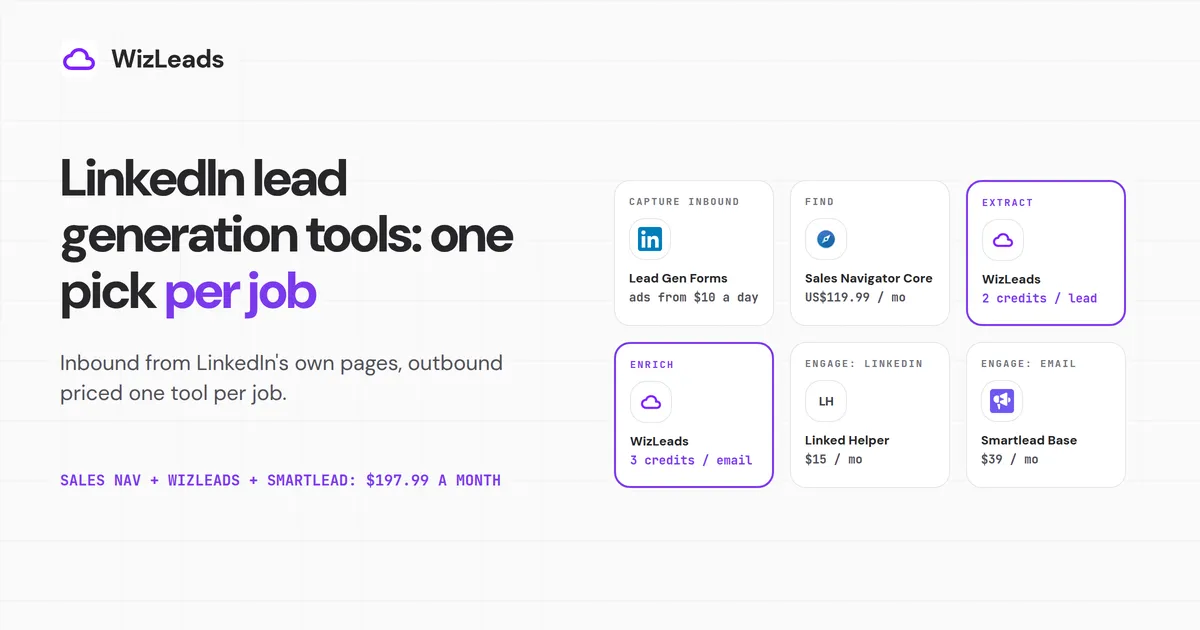
Use both LinkedIn routes and pick one tool per job. Inbound, a Lead Gen Form on a LinkedIn ad captures the lead, and LinkedIn charges nothing for the form beyond the ad spend, which starts at $10 a day. Outbound, Sales Navigator Core finds the people. WizLeads, a Sales Navigator scraper with work-email lookup, turns the search into a CSV and adds the emails.
Linked Helper runs LinkedIn sequences, and Smartlead Base sends the email sequences. At 1,000 new contacts a month, Sales Navigator, WizLeads and Smartlead come to $197.99 a month. Lobstr and Vayne cost less for extraction alone, and Kitt costs less per email found.
The two routes meet when you upload your outbound list to Campaign Manager as an ad audience, which needs 300 matched members.
On the inbound side you pay the ad auction, billed per click, impression or send, not per lead. The outbound side is four jobs in a row, and each gets one pick below.
How we picked
The inbound tools are LinkedIn's own and, apart from Premium Company Page, all live in Campaign Manager. There is nothing to rank on that side, so it sticks to what they do and cost.
For the outbound tools, each pick passed three tests:
- It does that job as its main function.
- It publishes a self-serve price on its own site and says what one unit of that price buys.
- It has the lowest monthly bill for the job of the tools we priced, at one stated volume. That volume is 1,000 new contacts a month, about 600 work emails found, and four emails to each contact with an address.
Three jobs name a pick that is not the lowest bill. For find, Premium Business costs less but gives you no Sales Navigator search for the extract step to read. For extract and enrich, each section names the tools with a lower bill.
| Job | Pick | Price and unit | What it runs on | Sales Navigator needed? | Who beats it, on what |
|---|---|---|---|---|---|
| Capture inbound leads | LinkedIn Lead Gen Forms | no charge beyond the ad spend | your ad account and Company Page | no | not ranked: LinkedIn's own ad feature |
| Find | Sales Navigator Core | US$119.99 a month per licence | your LinkedIn account | it is Sales Navigator | Premium Business, US$69.99, on price, with no Sales Navigator search to export |
| Extract | WizLeads | 2 credits a lead account-less, 1 connected; $39 for 10,000 credits | WizLeads' servers; your account only if you connect it (saved lists, saved searches, network filters) | access to build the search; no seat for the scrape | Lobstr and Vayne, on price for extraction alone |
| Enrich | WizLeads | 3 credits per work email found | a name and a company website | no | Kitt, on price per email |
| Engage on LinkedIn | Linked Helper Standard | $15 a month per licence | your LinkedIn account, from your machine | no | cloud tools, on uptime |
| Engage by email | Smartlead Base | $39 a month for 6,000 sends a month and 2,000 stored contacts | your mailboxes | no | Woodpecker, on contact storage |
Inbound: LinkedIn's own lead generation tools
LinkedIn Lead Gen Forms
LinkedIn Lead Gen Forms are the capture step in LinkedIn ads lead generation. A member clicks your ad's call to action and LinkedIn opens a form, "automatically populating contact and profile information" from their profile. LinkedIn's Lead Gen Forms help article adds that "There is no additional cost for LinkedIn Lead Gen Forms outside of the costs for the associated ad sets."
A form can sit on single image, carousel image, video, event, message, document and conversation ads. It holds up to 12 fields, and LinkedIn's best-practices article says "Choose three to four fields".
LinkedIn states that limit two ways. The overview table says "Up to three custom questions and 12 selectable fields", which reads like 15. The form setup page says custom questions "count toward the 12-question maximum", so plan on 12 in total.
Every form needs a privacy policy URL and can carry up to 20 hidden fields for tracking. Leads sync to supported CRM and marketing automation partners, or you can download them as a CSV from Campaign Manager. The download needs "Viewer access or higher on the ad account and Lead Gen Forms manager or higher on your Company Page".
A form lead has two gaps before it can go into a cold sequence. First, LinkedIn "will not deliver automated content to the member on behalf of the advertiser", says the best-practices article again. The gated asset goes in your thank-you message or your own follow-up.
Second, the address is whatever the member left or typed. Members can edit the work email, work phone, personal email and personal phone fields. "Validate work email" blocks "the most commonly used free email domains", and LinkedIn adds that it "doesn't block every possible email domain".
So verify form leads before you sequence them. WizLeads verification costs 0.5 credits per email processed, whatever the result, so the $39 plan covers 20,000 checks, about $20 per 10,000. Reoon costs less, at $11.90 for 10,000 on its email verifier page.
What LinkedIn lead generation ads cost
"Ads with Lead Gen Forms can be purchased on a cost-per-click or cost-per-impression basis, but cost-per-lead is not available at this time", says the best-practices article. Message and conversation ads, LinkedIn's Sponsored Messaging formats, are "charged on a cost-per-send basis" in LinkedIn's billing help. An auction sets the price. LinkedIn's how-ad-costs-work article says the cost of your ads "is determined by an online auction system".
The same article lists Cost cap bidding, where you "set the maximum cost per action (CPA)" you will pay. It caps what you will pay per result, and the bill still runs per click, impression or send.
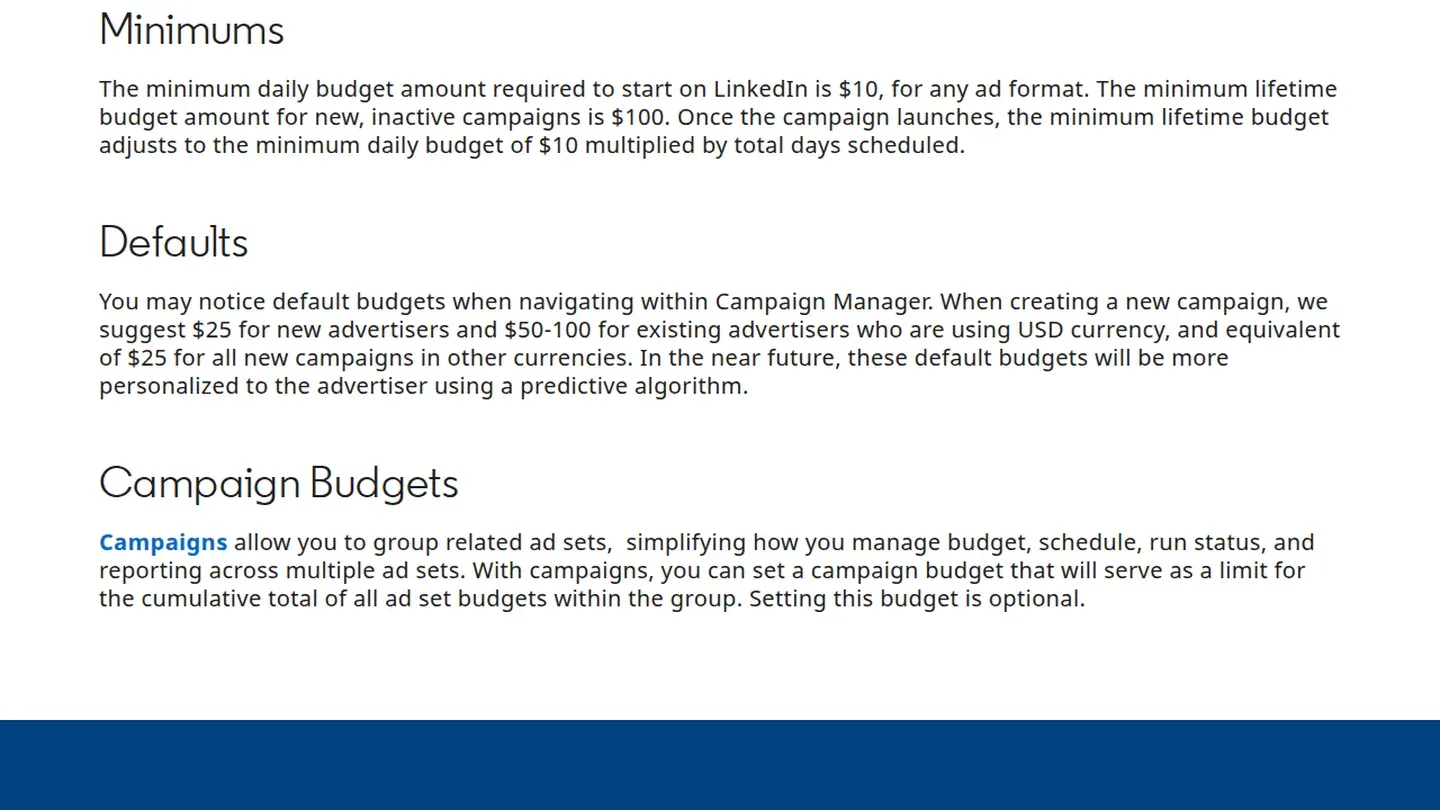
"The minimum daily budget amount required to start on LinkedIn is $10, for any ad format", says LinkedIn's budget guide. A campaign on a lifetime budget needs at least $100. After launch that becomes $10 multiplied by the days scheduled.
One campaign held at the floor for a 30-day month spends $300, which says nothing about how many leads it buys. This page quotes no cost per lead, because the auction sets it and we have not measured one.
Premium Company Page
Premium Company Page is US$99.99 a month per licence, or US$839.88 a year ("a 30% savings with annual billing"), says LinkedIn's product page. Two parts matter for leads. One is seeing "who's visited your Page". The other is "a custom call to action button featured across your Page header, your Page posts, and in search results".
That page lists no lead form among those features. The prefilled form belongs to the ads, so if form capture is the goal, budget for Campaign Manager.
Contact list targeting: your outbound list inside LinkedIn ads
This is where the two halves meet. Upload a contact list to Campaign Manager and you can show ads to the people you are already prospecting.
LinkedIn's contact list targeting help article sets these rules:
- "Your list must have at least 300 rows for a successful upload", and "The maximum list size is 20 MB or 300,000 records."
- The list "must match a minimum of 300 member accounts to be used in an active ad set".
- LinkedIn recommends "at least 10,000 personal or professional email addresses" so that at least 300 match.
- Emails you upload unhashed are "locally hashed in your browser before it's saved". Names match too, and adding the company name gives "more accurate matching".
- The audience can take "up to 48 hours (on rare occasions, longer)" to build.
A month of outbound at the volume above holds about 600 emails. That is well under the 10,000 LinkedIn recommends, and its contact list page gives no match rate. Upload full rows with names and company, and pool months of lists into one audience. Whether that clears the 300-match minimum depends on your list.
Outbound: one pick per job
LinkedIn Sales Navigator lead generation is four jobs in a row. Find the people, pull them into a list, put a work email on each row, and contact them. Contact splits in two, on LinkedIn and by email, so there are five picks. Each fills the same five slots.
Find: Sales Navigator Core
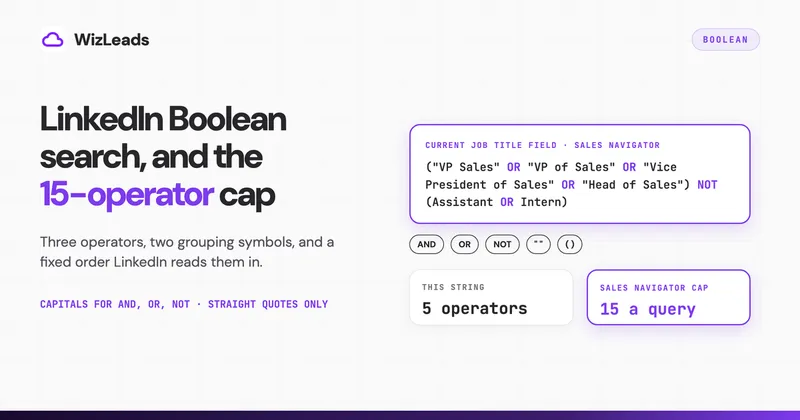
What it does. Searches LinkedIn's members and companies with lead and account filters and gives you a search URL an export tool can read. A free account shows "A maximum of 250 results per search or 25 pages of search results", per LinkedIn's help article on free search limits. Sales Navigator shows up to 2,500 results per people search. It shows 1,000 per company search.
What it costs. US$119.99 a month per licence, or US$1,079.88 a year, "a 25% savings with annual billing"; Advanced is US$159.99 a month, per LinkedIn's compare-plans page. Every plan includes 50 InMail credits a month. An account that has not used a LinkedIn trial gets 30 days free. The compare-plans FAQ words eligibility as no LinkedIn free trial "in the past 365 days", but in practice the trial happens once per account.
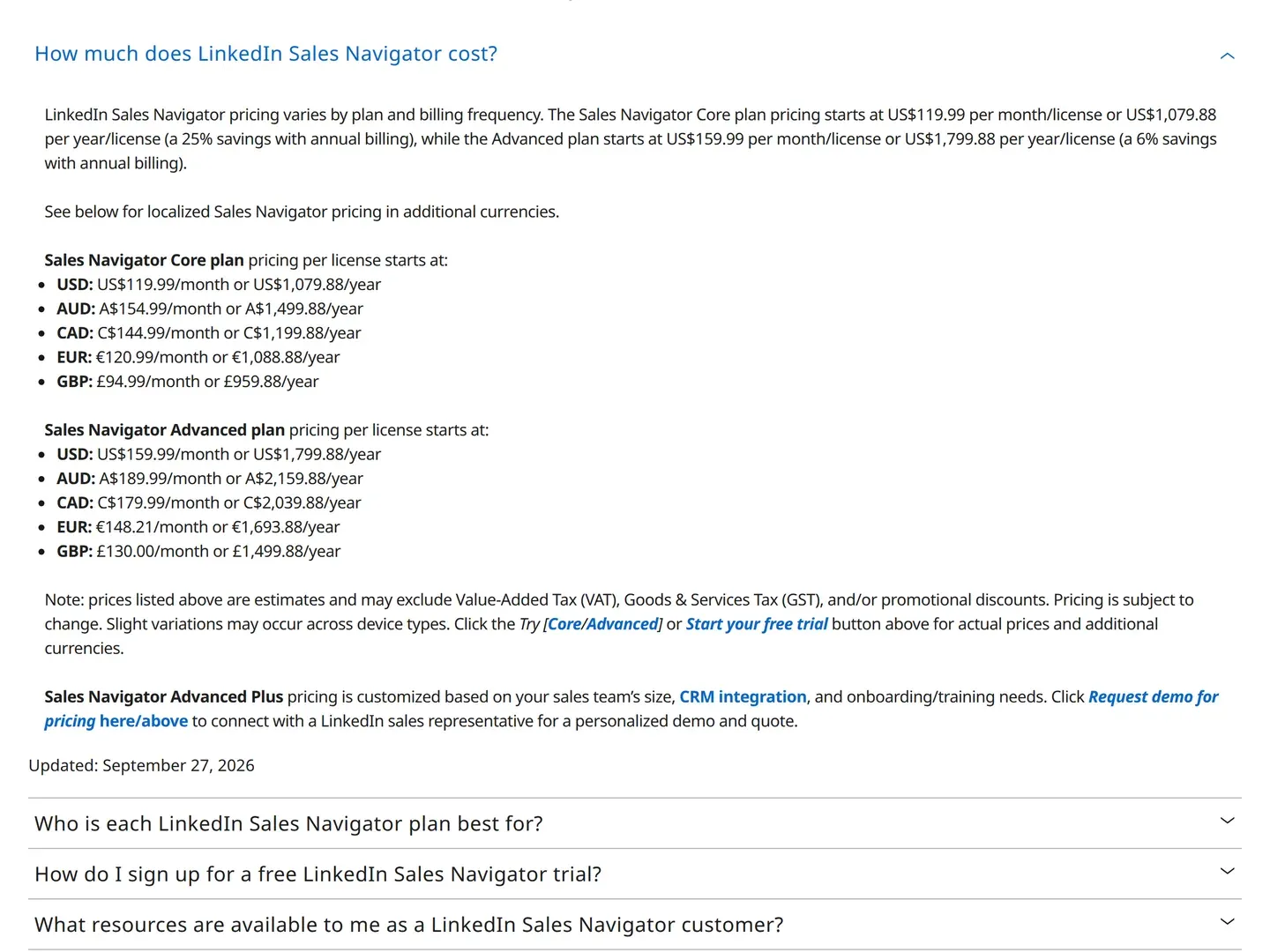
What it needs. Your own LinkedIn account and a paid licence. LinkedIn's Service Terms allow it "solely for sales, prospecting, or other business development purposes" and bar recruiting.
Where it falls short. Core misses filters the higher plans carry. "Viewed your Company Page recently", for one, is "only available to Advanced and Advanced Plus users", says LinkedIn's filter list. Getting results into a spreadsheet is the next job.
Who beats it, on what. Premium Business costs less, at US$69.99 a month. Its product page also promises "advanced search filters", a phrase LinkedIn uses for both products. It lacks the 50+ search filters LinkedIn advertises for Sales Navigator, a count that takes lead and account filters together, as the Sales Navigator vs Premium comparison shows. LinkedIn's filter list has 38 lead and 16 account filters. Premium Business also gives you no Sales Navigator URL to export.
Extract: WizLeads
What it does. Turns a Sales Navigator people or company search into a CSV, scraped on WizLeads' servers. In account-less mode the scrape runs without your LinkedIn account or an active seat. Connect your own account through its browser extension and it also reads what belongs to that account: saved lead and account lists, saved searches, and network filters such as 1st-degree connections. A 5,000-lead task takes 15 to 20 minutes.
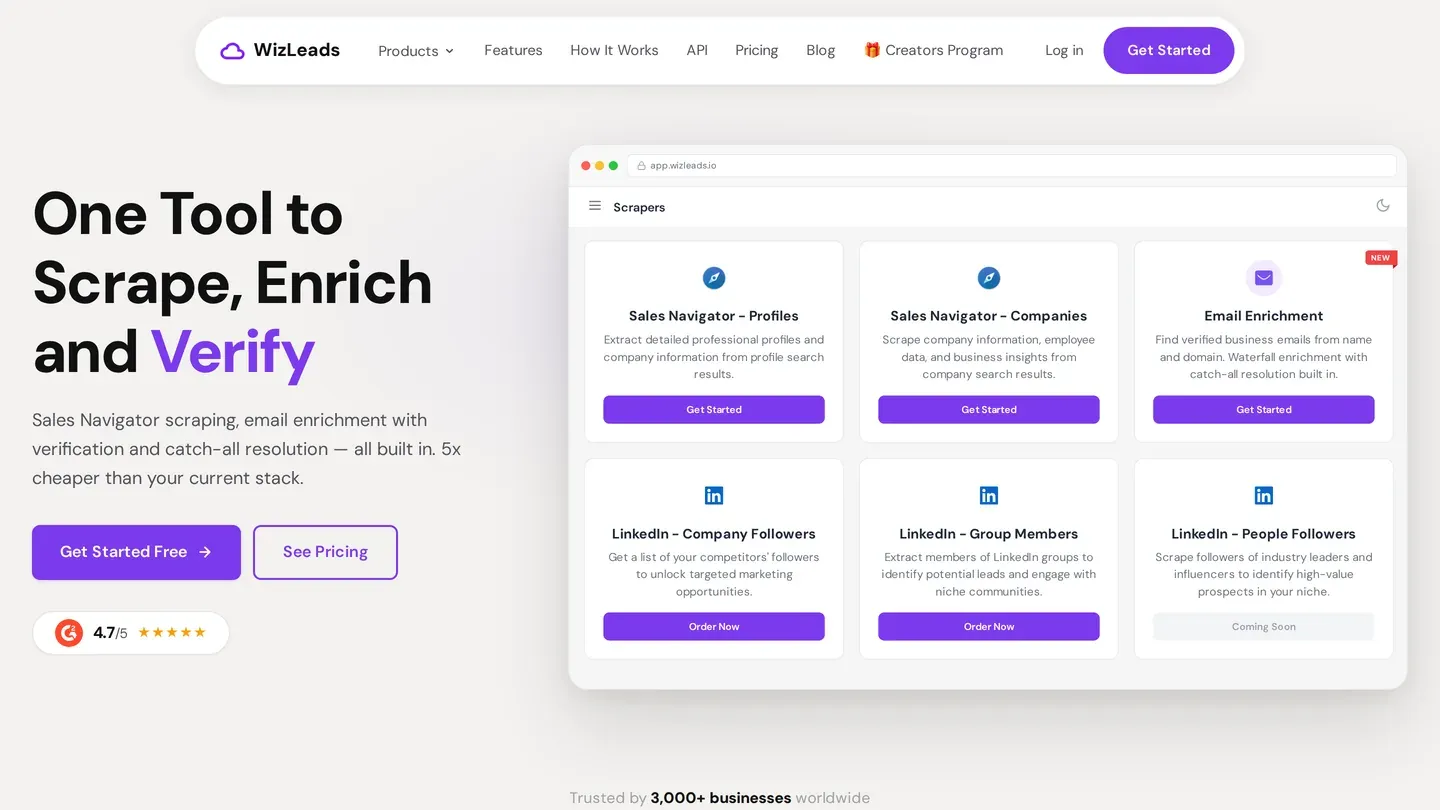
What it costs. 2 credits per lead account-less, 1 with your account connected. The Freelancer plan is $39 a month for 10,000 credits, which is $7.80 per 1,000 leads account-less and $3.90 connected, pro-rata.
What it needs. A Sales Navigator search URL. The search is built in Sales Navigator, so without Sales Navigator access you have nothing to give it.
Where it falls short. Its people search reads Sales Navigator search and list URLs, not free LinkedIn or Premium search results, posts, engagers or company employee pages. Saved lists need your account connected.
In connected mode the scrape uses your own LinkedIn account, and LinkedIn's prohibited software rule covers that. It doesn't permit third-party software that will "scrape, modify the appearance of, or automate activity on LinkedIn's website". Members who use such tools "risk having their accounts restricted or shut down".
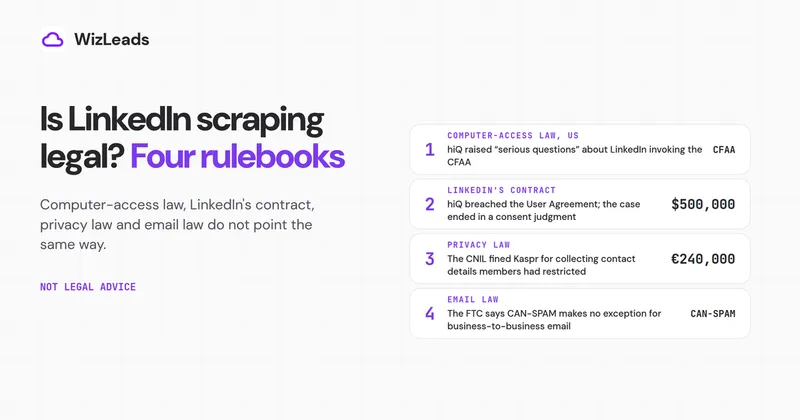
Account-less mode keeps your account out of the scrape. Whether the contract rule matters in court is a separate question, which the guide to whether LinkedIn scraping is legal takes up.
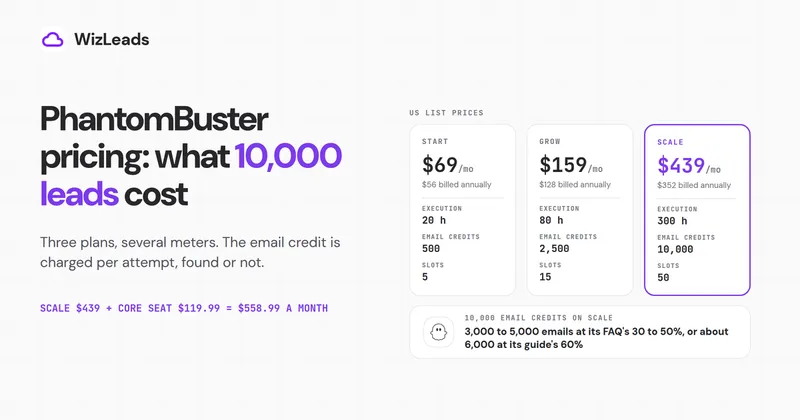
Who beats it, on what. Lobstr and Vayne cost less for extraction alone. Lobstr charges $20 for 10,000 credits at 1 credit per profile. Lobstr's split-search guide says a sub-search still over 2,500 is not split again, and "anything beyond it is missed". Vayne is $29 a month on Freelance: 10,000 leads on its pricing page, 10,000 credits in its scraper page's FAQ.
Vayne also runs a cookie-less mode that needs no LinkedIn login, cookie or Sales Navigator seat, at "2 credits per delivered profile". Its pricing page lists that mode as "on request", while its scraper page says "Both modes are available on every plan". The Sales Navigator scraper comparison prices eight tools.
Enrich: WizLeads work email
What it does. Finds a work email from a first name (or full name) and the company website; last name is optional. WizLeads' API documentation says "All emails are valid and catch-all verified". A Sales Navigator people search can run the lookup in the same task.
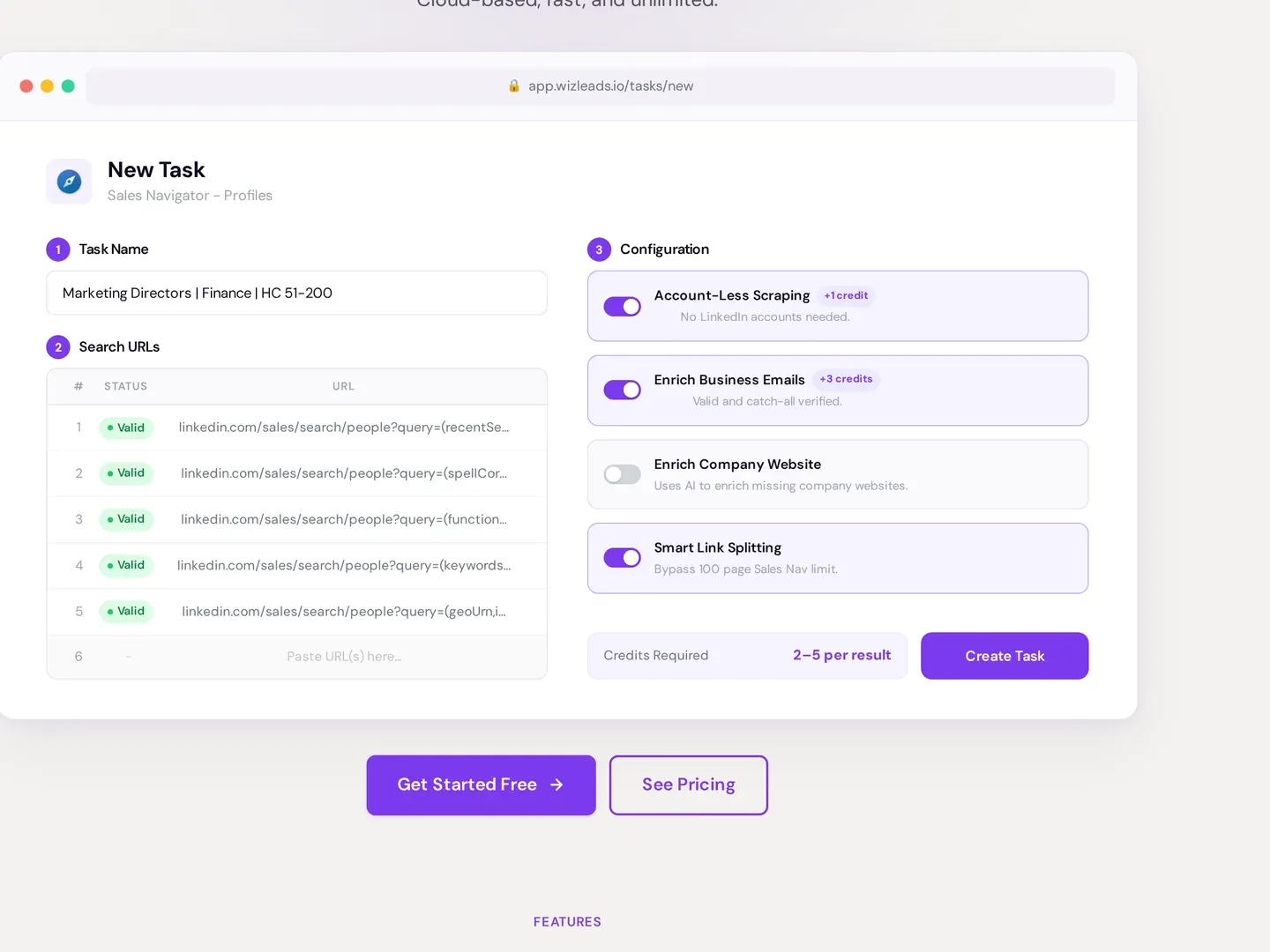
What it costs. 3 credits per email found, nothing for a miss, and a repeat lookup within 72 hours comes from cache at no charge. That is $11.70 per 1,000 emails found on Freelancer, pro-rata. Plan on a 50 to 60 percent find rate. At this volume that is about 600 emails, or 1,800 credits.
What it needs. A name and a company website on each row, and no LinkedIn account or seat.
Where it falls short. It takes no LinkedIn profile URL for a work email. Mobile numbers cost 100 credits per number found, so they fit a shortlist.
Who beats it, on what. Kitt charges from $0.005 per found email on pay as you go, which is $5.00 per 1,000. At that rate 600 emails cost $3.00, against a $7.02 share of the $39 WizLeads plan. On coverage, our 1,000-lead enrichment benchmark got 670 verified-valid emails from WizLeads and 517 from Kitt.
Against Vayne on the whole month, scrape plus emails, WizLeads is the lower bill. It is $39, against Vayne's $29 plan plus a $37 pack of 1,000 enrichment credits, which is $66.
Two separate tools make a lower bill than both. Lobstr's $20 Starter plan plus $3.00 of Kitt pay-as-you-go usage for 600 found emails is $23 for the month, which is $16 under WizLeads. It is $20 if Kitt's free plan for individuals carries your volume. These are list prices billed monthly, each a whole bill.
Lobstr's scrape runs on your own account. Its Sales Navigator scraper page says it "syncs with your Sales Navigator account using a Chrome extension" with "session cookies". The LinkedIn rule quoted under Extract applies to it. WizLeads' $39 covers both jobs in one task and can run account-less.
Engage on LinkedIn: Linked Helper
What it does. Sends connection requests and follow-up message sequences from your LinkedIn account, with reply detection, on its Standard plan, per Linked Helper's pricing page.
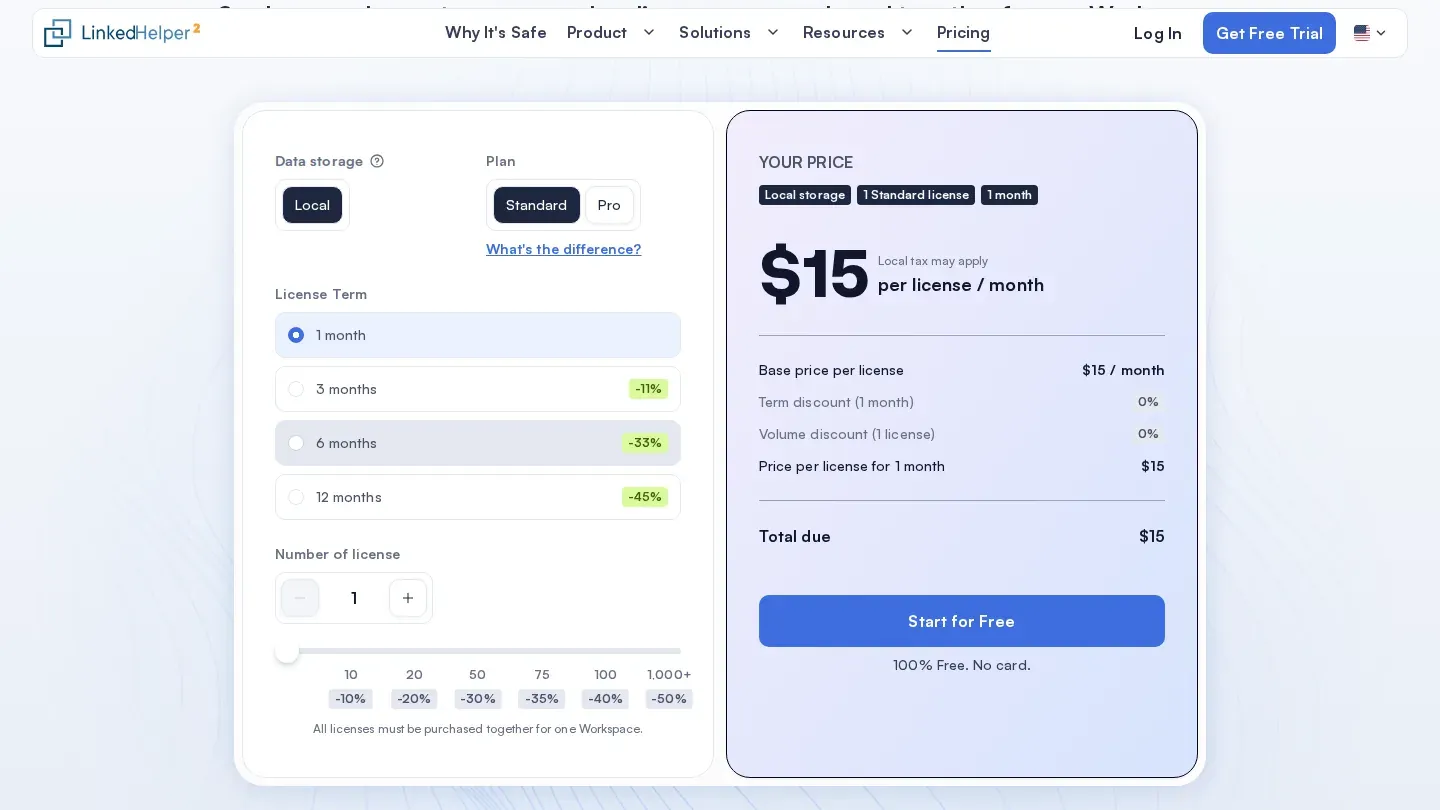
What it costs. $15 a month per licence on a one-month term with local data storage. A 12-month licence is $8.25 a month ($99 a year). One licence covers one LinkedIn account. The trial runs 14 days.
What it needs. Your LinkedIn account, and a machine or VPS left running, because it runs as desktop software.
Where it falls short. It sends only while that machine is on. LinkedIn's prohibited software rule, quoted under Extract, covers every tool in this job, because each one will "automate activity on LinkedIn's website". LinkedIn names no safe daily number.
Who beats it, on what. A cloud tool keeps sending with your laptop shut. Waalaxy Advanced is $39 a month to US visitors on monthly billing (€99 from France or Germany). Waalaxy says its Cloud "works by launching your LinkedIn account on a server", on its blog page about Waalaxy Cloud.
You pay for that uptime with your account running on someone else's machine. The LinkedIn automation tools list sets 15 side by side on monthly and annual price, each vendor's own limits and how each logs into your account.
Engage by email: Smartlead
What it does. Sends cold email sequences across as many mailboxes as you connect. Smartlead's pricing page says "All Smartlead plans include unlimited email accounts at no extra cost".
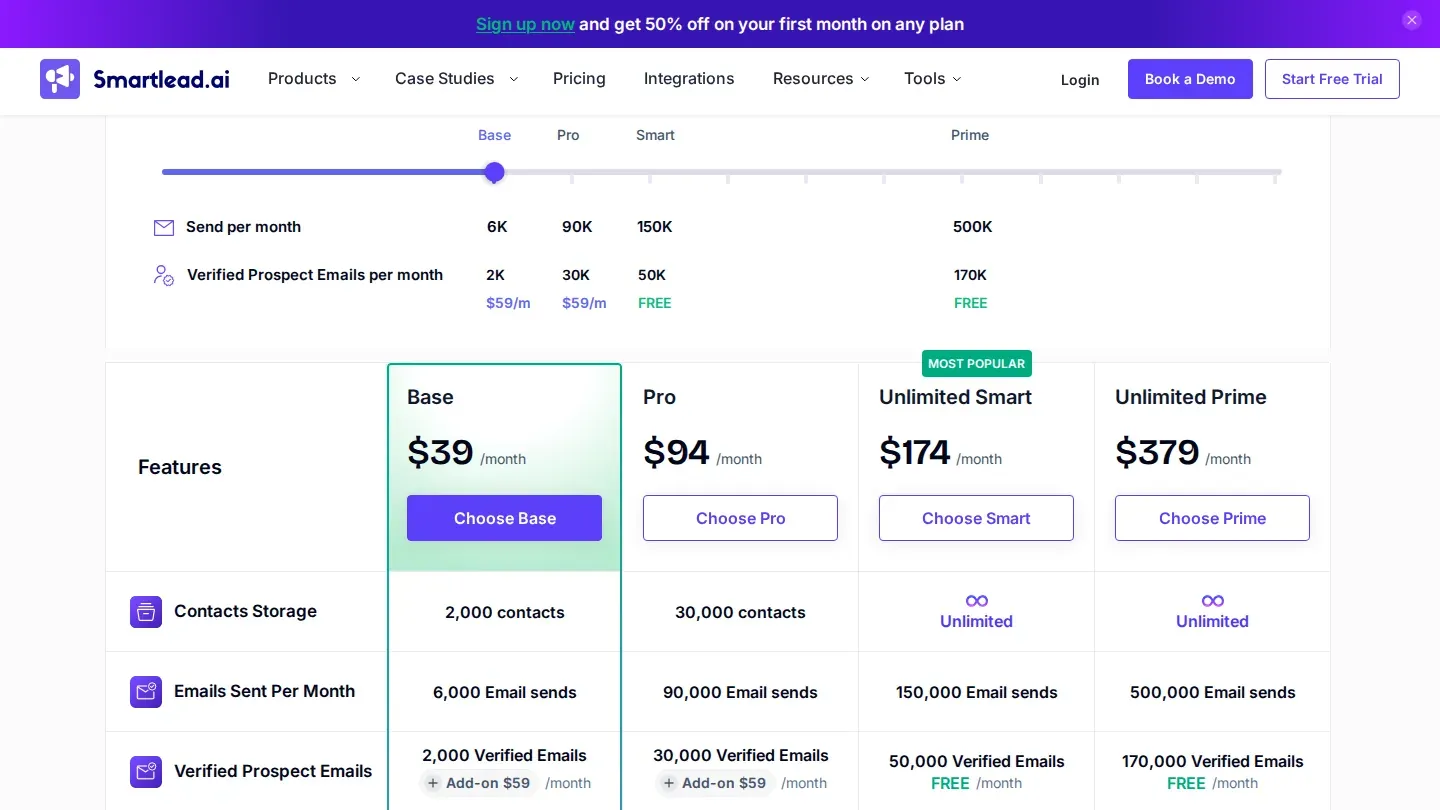
What it costs. Base is $39 a month billed monthly, and Smartlead's pricing file says it "allows 2,000 stored contacts and 6,000 sends per month". This volume needs 2,400 sends to about 600 contacts. Of the nine sequencers we priced, Base ties Woodpecker for the lowest monthly bill that carries it from more than one mailbox with warmup included. It sends 6,000 a month to Woodpecker's 5,000.
Kept in the account, 600 new contacts a month fill that storage in the fourth month. Pro, at $94 a month, stores 30,000.
What it needs. Your own mailboxes and domains, which the plan price does not include.
Where it falls short. Smartlead's llms.txt file says "Every plan includes unlimited email accounts and unlimited warmup". Its pricing page grades the warmup pool by plan, with the Foundation tier on Base. Verified prospect emails are a $59 a month add-on on Base.
Who beats it, on what. Woodpecker matches the price and keeps every contact. Its smallest plan is $39 a month, or $26 a month billed annually ($312 a year), for 5,000 emails sent. It includes unlimited contact storage and 3 warm-ups. For agency volume, Email Bison sells a single $599 plan for 500,000 emails a month.
Inbound or outbound: what each costs before the first lead
The LinkedIn lead generation cost you can know in advance is a floor on each side. If you are working out how to generate leads on LinkedIn, the route to start with often comes down to which floor you can carry.
Inbound, the floor is the ad spend set out above, with nothing added by Lead Gen Forms. The leads arrive with whatever address the member submitted, so budget for the verification priced above.
Outbound, the table prices the 1,000 new contacts a month at list prices as of October 2026, billed monthly, for one seat. Each line is a whole plan, and mailboxes and domains are left out.
| Job | Plan | Monthly bill |
|---|---|---|
| Find | Sales Navigator Core | $119.99 |
| Extract and enrich | WizLeads Freelancer: 3,800 of its 10,000 credits account-less, 2,800 connected | $39.00 |
| Engage by email | Smartlead Base | $39.00 |
| Total | $197.99 |
Add Linked Helper Standard if you also run LinkedIn sequences, and the month comes to $212.99. The Sales Navigator seat is the largest line. In this stack it is also the one you cannot drop, because the list starts as a Sales Navigator search.
The first month can cost less. Sales Navigator gives 30 days free to an account that has not had a trial. WizLeads gives 500 credits once, and after signup the 10,000-credit plan is $1 for the first month, then 20 percent off for life. That offer shows only after you log in, on the billing page.
Where WizLeads fits, and where it does not
WizLeads covers two of the six jobs above, extract and enrich, and its people search starts from a Sales Navigator search. You still need Sales Navigator access to build the search. Account-less mode removes your account and your seat from the scrape, and the search stays in Sales Navigator.
It does nothing for the inbound half: no Lead Gen Forms, no ads, no Company Page features. Use it for sales and business development lists only. LinkedIn's Service Terms say Sales Navigator "must not be used, directly or indirectly, for recruitment, talent sourcing, candidate identification, or any hiring-related activities".
If sales lists are the job you have, 500 free credits run 250 leads account-less, enough to see the output before you pay.