WizLeads


TL;DR
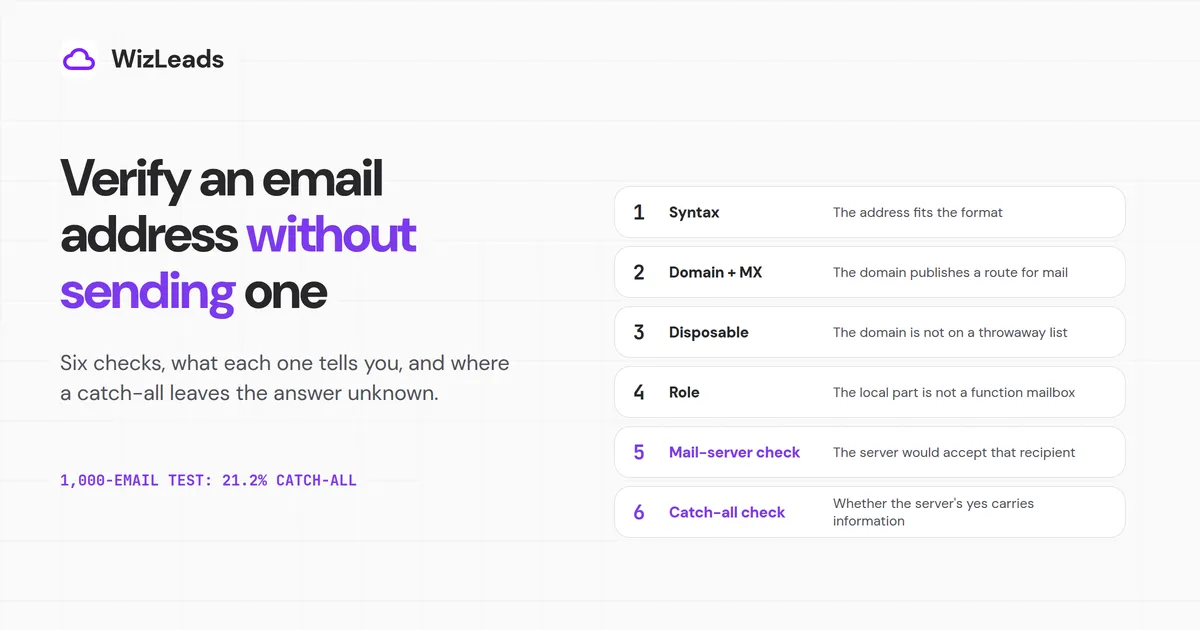
To verify email address without sending email, run six checks in order: syntax, domain and mail records, disposable domains, role names, a mail-server check and a catch-all check. The first four never touch the mailbox. The fifth asks the receiving server whether it would accept the address, without sending any message. On a catch-all domain, or behind some email gateways, that answer proves little, so the honest result is unknown.
In our benchmark of 1,000 real-estate decision-maker emails sourced from Apollo, WizLeads' classifier counted 212 as catch-all (21.2%). Only a confirmation email proves that a person controls the inbox.
Developers want to know whether an address exists before a signup, and marketers want to know before a send. A mail server can say whether it would take a recipient. It cannot say that anyone reads the mailbox, and some servers take every recipient.
Each check below says what it is and what a pass tells you. It also says what the check cannot tell you and where it leaves the result unknown.
What each check proves, and where it leaves you without an answer
| Check | A pass tells you | It cannot tell you | Leaves the result unknown when |
|---|---|---|---|
| 1. Syntax | The address fits the format and length limits | Anything about the domain or the mailbox | Always, past format: every well-formed address passes |
| 2. Domain and MX | The domain publishes a route for mail | That this mailbox exists | The lookup fails for a temporary reason |
| 3. Disposable | The domain is not on a public throwaway list | Whether a brand-new throwaway domain is safe | The domain is newer than the list |
| 4. Role | The local part is not a function mailbox | Who reads it | Never. A role address is a list policy call |
| 5. Mail-server check | The server would accept that recipient when asked | That anyone reads the mailbox | The domain is catch-all, a gateway answers for the mailbox, or the server says to come back later |
| 6. Catch-all check | Whether the server's yes carries information | Which mailboxes on an accept-everything domain are real | The domain accepts every address, so the target stays unknown |
| Confirmation email | A person controls the inbox | Not applicable | Never, but it is a send |
To check if an email is valid, run the checks in order and stop at the first definite no. Only the last row sends a message.
Check 1: Syntax
Syntax is the format test: an @, a local part, a domain and no illegal characters. RFC 5321 sets the size limits at 64 octets for the local part and 255 for the domain. A verified erratum to RFC 3696 puts the usable address at 254 characters.
An address that breaks a limit, lacks an @ or holds an unquoted space fails here, for free. Do not repair failures quietly, since a corrected typo is an address nobody gave you.
Gmail adds two rules that matter when you deduplicate. Google's help pages say dots do not change a gmail.com address, and that mail to janedoe+school@gmail.com reaches janedoe@gmail.com. On a work or school domain, dots do change the address. That plus tag is the likeliest meaning of the "+1 email trick".
This check passes any well-formed address, including one on a dead domain or one that names a mailbox nobody owns.
Check 2: Domain and MX records
Most domains that take email publish mail records in DNS, called MX records, that point to its mail servers. This check looks them up. It tells you the domain has somewhere to send mail, and nothing about any single mailbox.
Three results need care:
- If the domain does not exist, every address on it is dead. RFC 5321 says that case "MUST be reported as an error".
- If the domain exists but lists no mail servers, it can still take mail. RFC 5321 treats an empty list as the domain's own host, so check its address records before you write it off.
- A null MX record, defined in RFC 7505, is how a domain says it does not accept email. Every address on that domain is dead.
A temporary DNS error is no verdict. RFC 5321 says the message "MUST be queued and retried later", so retry. A working website proves nothing here, and a domain with an MX record can still have no mailbox for this name.
Checks 3 and 4: Disposable and role addresses
A live disposable domain runs a real mail server, so it clears the MX lookup and the mail-server check. A maintained list catches it. The open-source disposable-email-domains list on GitHub held 9,927 domains after its 23 October 2026 commit. Its README says it cannot guarantee every one is still disposable, so match against a fresh copy.
It misses any throwaway domain created after the last update.
Role addresses are function mailboxes. RFC 2142 standardises info, marketing, sales and support. It also covers abuse, noc and security, and service names such as postmaster, hostmaster, webmaster, www and ftp.
It says mailbox names "must be recognized independent of character case", so lowercase the local part before you compare. Admin, contact, hello and noreply are common role names that RFC 2142 does not list, so keep a list of your own.
A role address clears every other check and can deliver. Whether it belongs in your sequence is a list policy call.
Check 5: Ask the mail server
This is the SMTP email check, also called an email ping. It asks the receiving mail server whether it would accept that recipient, without sending a message. So nothing is delivered, and the mailbox owner never sees a thing.
The server can accept the recipient, refuse it, or ask you to come back later. A refusal from a server that checks its recipients is usually a no, unless its text shows a policy block aimed at you. A yes means only that the server would take that recipient at that moment.
It cannot tell you that anyone reads the mailbox, or that the server checks its recipients at all. It leaves the result unknown with a catch-all domain, a gateway that answers for the mailbox, or a server that says to come back later. Check 6 and the next section cover each case.
Check 6: Test whether the domain accepts everything
A catch-all domain accepts mail for any address, real or not. This check decides whether the yes from check 5 carries information. If the domain is not catch-all, the yes stands, for now.
If the domain is catch-all, the yes tells you nothing about this mailbox, and the target stays unknown. The same blind spot appears where a server accepts first and decides later, because from outside the two look alike.
Either way, the answer describes the address only at the moment you asked.
Why the mail-server check goes blind on business domains
Checks 5 and 6 assume a server that checks each recipient and answers at once. Some business domains break that, in ways their providers document.
Catch-all is a setting someone switched on
In Google Workspace, a catch-all is a routing rule that an admin adds by ticking "All inactive and unrecognized accounts". In Exchange Online, an Authoritative domain rejects unknown recipients, while an Internal relay domain passes them to your own mail server. For those recipients, a yes does not mean the mailbox exists.
Gateways answer for a mailbox store they may not see
What a secure email gateway tells a verifier depends on a setting you cannot see. Mimecast offers six recipient-validation types per domain, including "Accept all inbounds for this domain" and "Accept inbounds for valid Directory users only". In our benchmark list, WizLeads' classifier counted 159 of the 1,000 addresses (15.9%) behind a Secure Email Gateway. A verifier that cannot spot a gateway can call an address valid when the gateway only pretends to know it.
Greylisting
RFC 6647 describes greylisting as turning away senders the server does not know yet and asking them to try again later. A client "does not know, nor is it entitled to know, the reason". The RFC says greylisting can interfere with mail-server checks like check 5. A "try later" answer is not a verdict.
Accepted now, bounced later
A server that accepts a message takes responsibility for "delivering the message (if the recipient mailbox exists)". So accepting first and bouncing later is within RFC 5321. Microsoft's Directory-Based Edge Blocking page says there "might be infrequent instances" where nonexistent recipients "are allowed to relay through the service".
What Microsoft and Yahoo document
Directory-Based Edge Blocking (DBEB) lets Microsoft 365 "reject messages for invalid recipients at the service network perimeter". The page adds that "If all recipients for your domain are in Exchange Online, DBEB is already in effect". It does not say at what stage the rejection arrives, so read it as a documented default that a check may not match.
Provider behaviour also changes. On 30 April 2026 Verifalia's page said Yahoo had "recently updated its security algorithms" and that it could not properly verify Yahoo addresses since. On 2 May it posted that Yahoo addresses were verifying again.
Free ways to check one address
Several vendors publish a free single-address checker. They differ most in depth, so read the last column before you trust a green tick. Each third-party allowance is as that vendor's checker page states it; the WizLeads row is its one-time free tier.
| Tool | Free allowance | Depth, in the vendor's words |
|---|---|---|
| Hunter | 5 checks a day without signup; Free plan 100 verifications a month | SMTP check "without sending an email" |
| Email Hippo | 100 a day, reset at midnight UTC | Lists "Server is catch-all" and greylisting among its unverifiable reasons |
| ZeroBounce | 100 a month with a business or premium-domain signup | Its FAQ says it does not send an email to validate |
| Verifalia | 25 a day with a free account | "does not send any messages" |
| Mailmeteor | Free, no sign-up, fair use | "15+ checks", SMTP included |
| Cleanlist | 25 a day, no signup | DNS layer only: "It does not check the mailbox." |
| QuickEmailVerification | 100 credits a day on the free tier | Connects "to the mail server with SMTP"; flags Accept All |
| Abstract API | Free and no signup for single lookups | SMTP check "without sending a message"; catch-all detection |
| WizLeads | 500 credits once, which is 1,000 verifications | Classifies catch-all emails as valid or invalid |
When to use a verifier
Switch to a verifier once any of these holds:
- You have more than a handful of addresses. The free allowances above top out at about 100 addresses a day or a month.
- The list is headed into a cold sequence, where a wrong call costs sender reputation.
- It is a B2B list, where catch-all domains and some gateways can leave a single check without a settled answer.
A verifier does the work in bulk. WizLeads' Verify Email returns a status of valid, invalid, unknown or error and a catch-all flag, through the API or from a CSV. It charges 0.5 credit per email processed, whatever the result.
The $39 Freelancer plan holds 10,000 credits, so 20,000 verifications, a pro-rata unit cost of $19.50 per 10,000.
Catch-all domains are the case a single check cannot settle. WizLeads classifies catch-all emails as valid or invalid, and the 1,000-email Apollo test we ran shows how common they are in one real-estate list.
The one thing you cannot check without sending
Every check above tests an address, not a person. For a signup form, a confirmation email that the person acts on is the only proof that they control the inbox.
For cold email, verify first, then watch bounces by domain after the first sends.