WizLeads


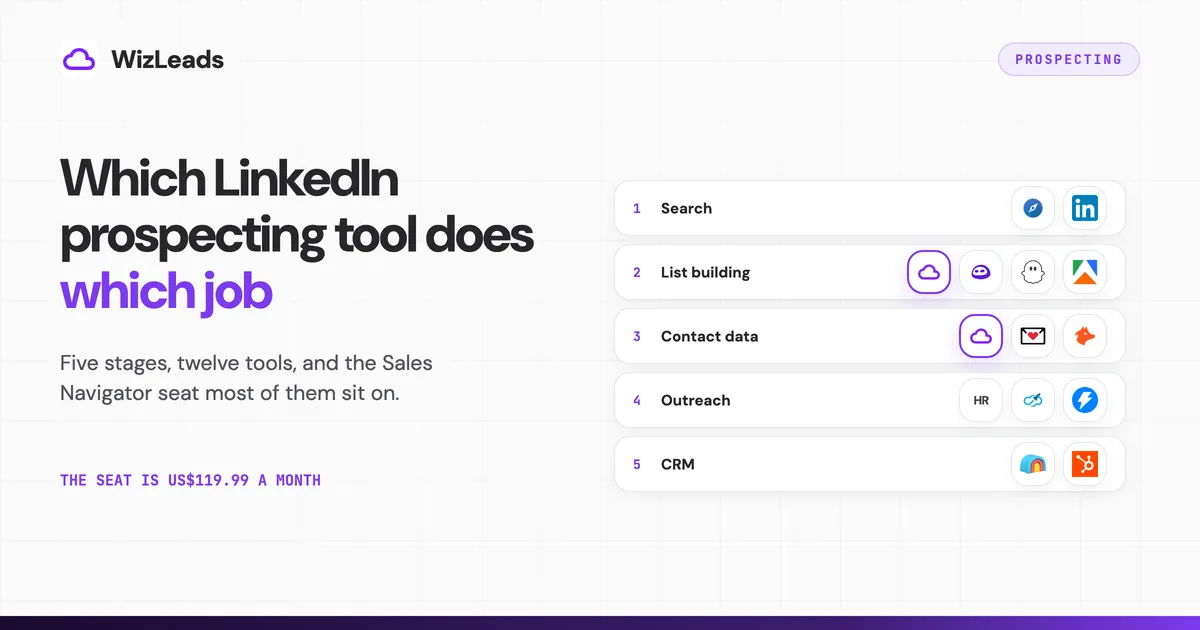
Prospecting on LinkedIn is five separate jobs, and most roundups of LinkedIn prospecting tools price them as one. The ranking pages list twelve or forty products side by side, give each a "from $X a month" figure, and never mention that most cannot run without a Sales Navigator seat underneath. That seat is US$119.99 a month, larger than most of the subscriptions being compared.
This guide sorts the tools by the stage they serve, prices each from the vendor's own page, and quotes what a credit buys, because per attempt and per result are different meters and the gap can double a bill. At the end we price one job, 1,000 leads from search to sequence, three ways. WizLeads covers two of the five stages, with its limits below.
The five stages of a LinkedIn sales prospecting workflow
How to prospect on LinkedIn is five questions asked in order, each consuming what the one before it produced. Search and targeting yields a search URL with a result count; a free LinkedIn account shows a maximum of 250 results per search or 25 pages of search results, so most stacks are constrained here before a tool is involved. List building turns that into rows with names, titles, companies and company websites. Contact data puts a sendable address on each row, and per-credit pricing bites hardest here. Outreach produces replies. CRM and orchestration produces a record you can query later.
Stage 5 is no substitute for stage 3: HubSpot's enrichment does not consume HubSpot Credits, but on a contact returns no email or phone number and will not enrich a free-mail address. Most lists of LinkedIn lead generation tools mix stage 2 and stage 4 into one ranking, so they read as if the products compete. Evaboot and HeyReach do not. One fills a spreadsheet and the other empties it.
How we picked these twelve tools
Vendors file themselves under LinkedIn prospecting software, LinkedIn tools for lead generation or b2b prospecting tools, and none of those labels says which stage the product serves. The LinkedIn prospecting tools below earned a slot by meeting all three: it does one of the five jobs as its main function, it publishes a price on its own site we could open that day, and it defines the unit that price buys. Tools rendering only "Contact sales" get no slot, and each unit is quoted verbatim in its own section.
| Tool | Stage | Price | Needs your LinkedIn account |
|---|---|---|---|
| Sales Navigator Core | 1 | US$119.99/mo, US$1,079.88/yr | yours |
| LinkedIn Premium Business | 1 | US$69.99/mo, US$539.88/yr | yours |
| WizLeads | 2, 3 | $39/mo for 10,000 credits | no, account-less |
| Evaboot | 2, 3 | $9/mo for 100 credits | yes, and a paid seat |
| PhantomBuster | 2, 3 | $56/mo billed annually | yes |
| Apify, curious_coder actor | 2 | $0.005 per result | yes, cookies |
| Findymail | 3 | $99/mo for 5,000 credits | no |
| Hunter | 3 | Free 50/mo; Starter $49/mo | no |
| HeyReach | 4 | $79/mo per sender | yes, it is the billing unit |
| Expandi | 4 | $99/mo | yes |
| Instantly | 4 | $47/mo billed monthly | no |
| Clay | 5 | Free, or $167/mo billed annually | no |
| HubSpot CRM | 5 | Free, or from $7/mo per seat | no |
LinkedIn's two paid tiers are one vendor, so thirteen rows hold twelve.
What LinkedIn documents, and what it does not
LinkedIn's User Agreement, effective 3 November 2025, section 8.2, tells you not to "Develop, support or use software, devices, scripts, robots or any other means or processes (such as crawlers, browser plugins and add-ons or any other technology) to scrape or copy the Services". It covers sending, with "Use bots or other unauthorized automated methods to access the Services, add or download contacts, send or redirect messages", and caps, with "Override any security feature or bypass or circumvent any access controls or use limits of the Services (such as search results, profiles, or videos)".
The help centre states the consequence. LinkedIn says "we don't permit the use of any third party software, including "crawlers", bots, browser plug-ins, or browser extensions that scrape, modify the appearance of, or automate activity on LinkedIn's website", and members who do "risk having their accounts restricted or shut down".
What that page does not publish is a safe daily volume. No connection-request threshold, no ban rate, no per-tool distinction. When we searched this keyword, three ranking pages supplied one anyway, and three different ones: ZoomInfo's said "Most experts recommend staying under 50-100 connection requests per day", Clearout's said "Keep your requests around 20–30 per day per account", and HeyReach's attributed a figure to LinkedIn itself, as "LinkedIn's limit of 20–40 connection requests per day per account". We have no number to add because there is no published one. The LinkedIn automation tools list puts each vendor's own stated limits beside its price.
A tool that drives your own logged-in session puts your account in front of that policy. One that runs elsewhere does not, which is the only distinction the documents support and the reason each section below names whose session the tool uses. Our guide to LinkedIn scraping works through what the policy settles, and our scraper ranking sorts twelve on the same axis.
Stage 1: search and targeting
Price the seat first: it is usually the biggest line on the bill. Free LinkedIn search caps at 250 results, enough to find twenty people and not to build a list, and Premium Business at US$69.99 a month or US$539.88 a year (a saving LinkedIn calls 36%, recomputing to 35.72%) buys more searches and InMails rather than Sales Navigator's filter set. We compared what each includes separately.
Sales Navigator Core, US$119.99 a month or US$1,079.88 a year. From LinkedIn's compare-plans page: "The Sales Navigator Core plan pricing starts at US$119.99 per month/license or US$1,079.88 per year/license (a 25% savings with annual billing)". That 25% recomputes to 25.0021%. This tier opens the saved lists and the search URLs every stage 2 tool consumes. The same page ticks "50+ advanced search filters" against every plan, while LinkedIn's own filter reference says the company-page-visitor filter "is only available to Advanced and Advanced Plus users", so the grid and the reference disagree.
Sales Navigator Advanced, US$159.99 a month or US$1,799.88 a year, a "6% savings with annual billing" recomputing to 6.2504%. Read the seat minimums twice: LinkedIn's product page says Advanced and Advanced Plus "accommodate sales teams of 2+ and 10+, respectively", while compare-plans says you can "purchase up to five LinkedIn Sales Navigator Advanced plan licenses online from your desktop, or buy a single license through the LinkedIn mobile app". Those do not describe the same floor. Advanced Plus is quote-only, "customized based on your sales team's size".
The free trial is 30 days and, in practice, one time per account. LinkedIn words eligibility differently on the page quoted above, as members who "have not used a LinkedIn free trial in the past 365 days", so its published wording and the practical rule are not the same test.
Stage 2: turning a search into a list
Four tools, one job, four relationships with your LinkedIn account, which set both your exposure and whether you need the $119.99 seat.
WizLeads
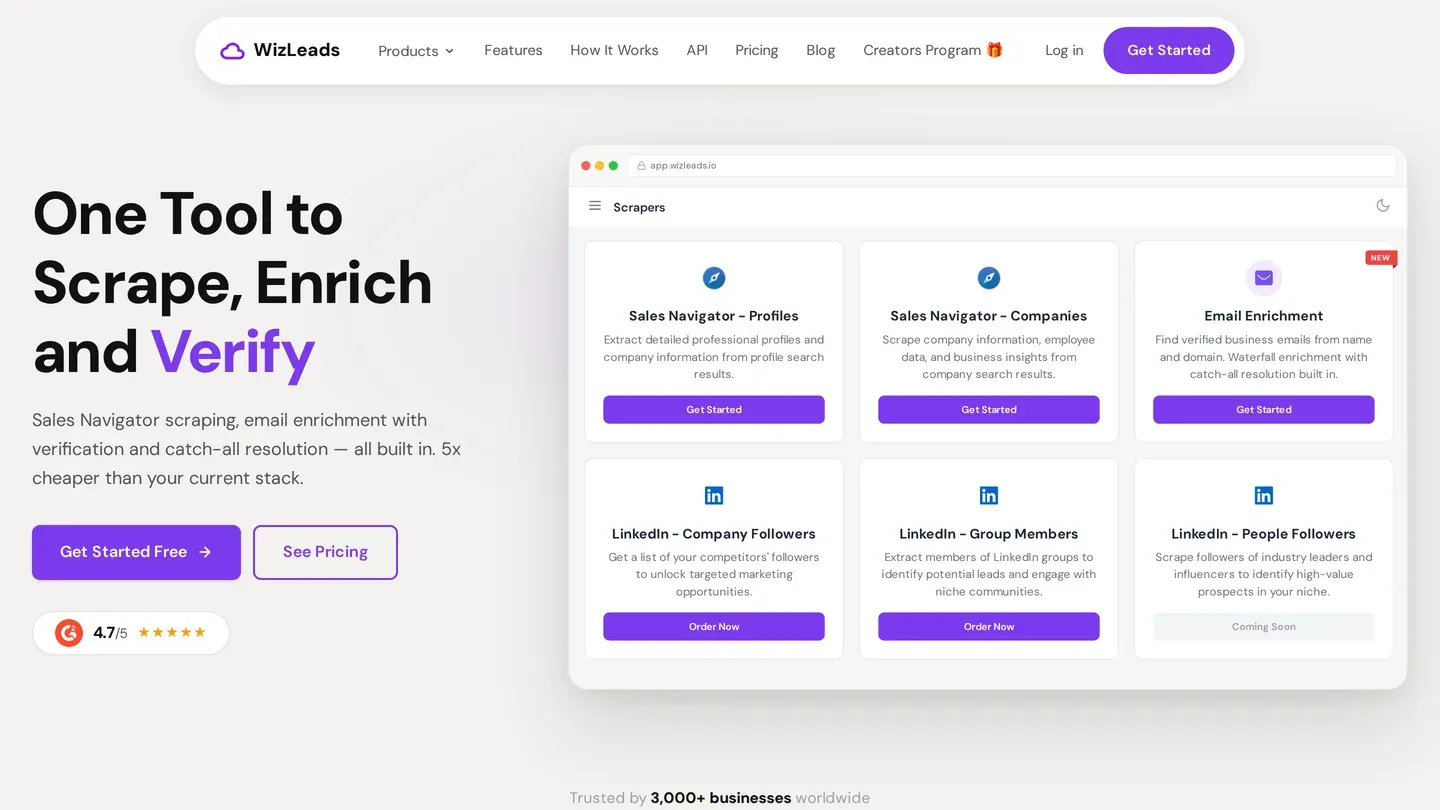
Source: WizLeads homepage.
Sales Navigator people and company searches, scraped in our cloud rather than through your session. Monthly plans run $39 for 10,000 credits (Freelancer), $99 for 40,000, $199 for 100,000 and $499 for 300,000, quarterly $89 for 30,000 up to $1,199 for 1,000,000, plus a one-time free 500 credits.
The unit is the result: 2 credits each account-less, 1 with your own account connected, putting the scrape at $7.80 per 1,000 leads on Freelancer. Account-less takes the seat off the bill, and WizLeads is not the only tool that offers it. Vayne advertises a cookie-less mode that needs no LinkedIn login, cookie or Sales Navigator seat, and Lobstr and Vayne both split oversized searches automatically. On Agency and above, WizLeads checks the lead count and splits the link into chunks of 2,000 results or less, so no results are lost past the 2,500 cap. Lobstr's documentation says it divides once along a single facet, does not recurse, and anything past the cap is "missed".
Saved lists and the 1st-degree filter belong to a specific account, so they need yours connected through the browser extension, and Smart Link Splitting is Agency plan and above.
Evaboot
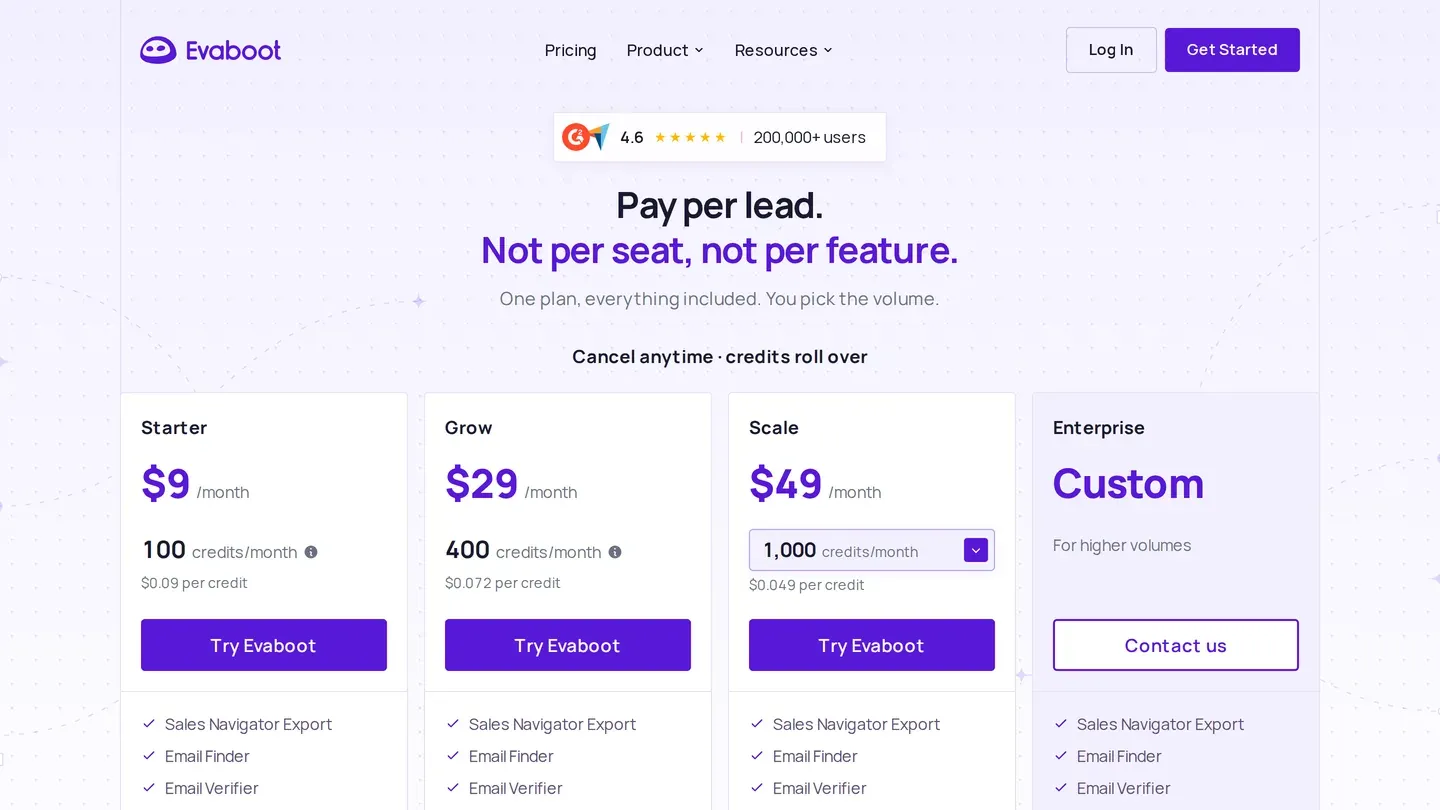
Source: Evaboot pricing page; the Scale plan's credit volume is picked from a dropdown.
A Chrome extension that exports the search you are already looking at, on your own Sales Navigator session. Its pricing page publishes plans from $9 a month for 100 credits to $299 for 15,000, with Custom above that. That is $0.09 a credit at the entry plan against $0.0199 at the top published one, so the entry rate is about 4.5 times the top rate.
The unit, same page: "1 lead exported = 1 credit, and its verified email is included: every export finds emails for every lead. A lead we find no email for still costs 1 credit, and so does an account. With the Email Finder, 1 email found = 1 credit (nothing is charged when none is found)." So an export bills every row, with or without an email, while the separate Email Finder bills only the hits. The limit is the seat, and Evaboot is the only tool on this SERP stating that outright: "Do I need a Sales Navigator account? Yes. Evaboot exports the results of your own Sales Navigator searches, so you need an active Sales Navigator seat. You can connect as many seats as you like at no extra cost." It finds no phone numbers.
PhantomBuster
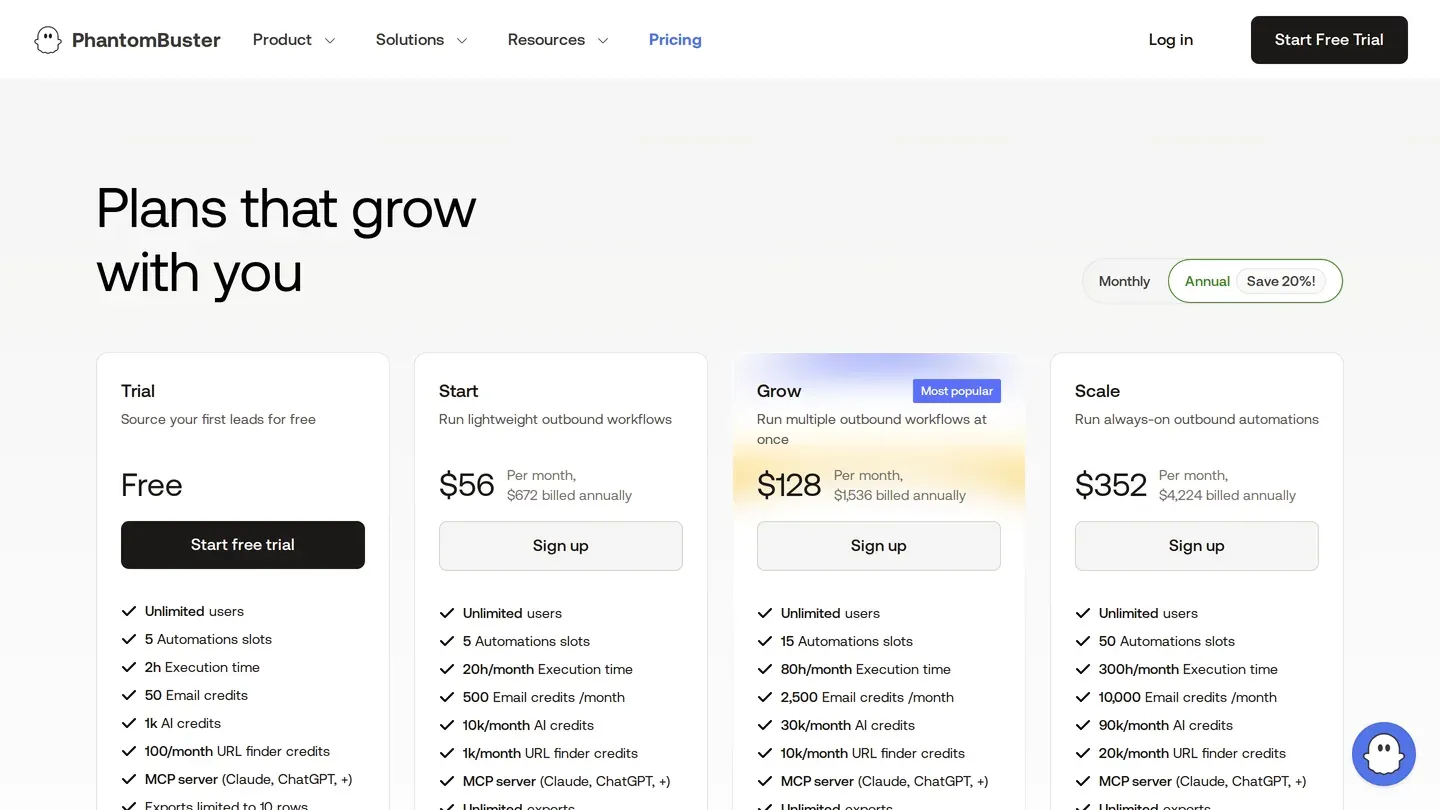
Source: PhantomBuster pricing page, opening on the annual toggle.
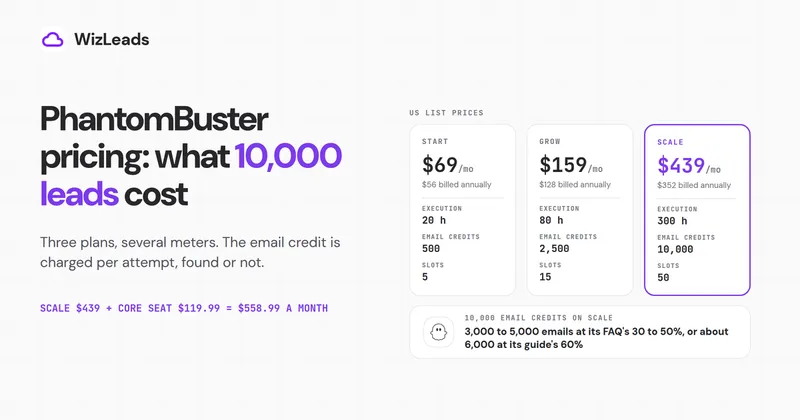
Cloud automations that run through your own logged-in accounts. On the annual toggle: Start $56 a month ($672 billed annually), Grow $128 ($1,536), Scale $352 ($4,224).
The unit, from PhantomBuster's help centre: "1 credit = 1 lookup, even if no match is found. A good match rate is around 30–50%, depending on how complete and accurate your input (name and company) is." Paying per attempt rather than per result moves the cost of a found email by two to three times, which makes that sentence worth more than the price. Two limits: the page's meta description says "Plans start at $59", matching neither figure on it, and the 14-day trial caps exports at 10 rows.
Apify
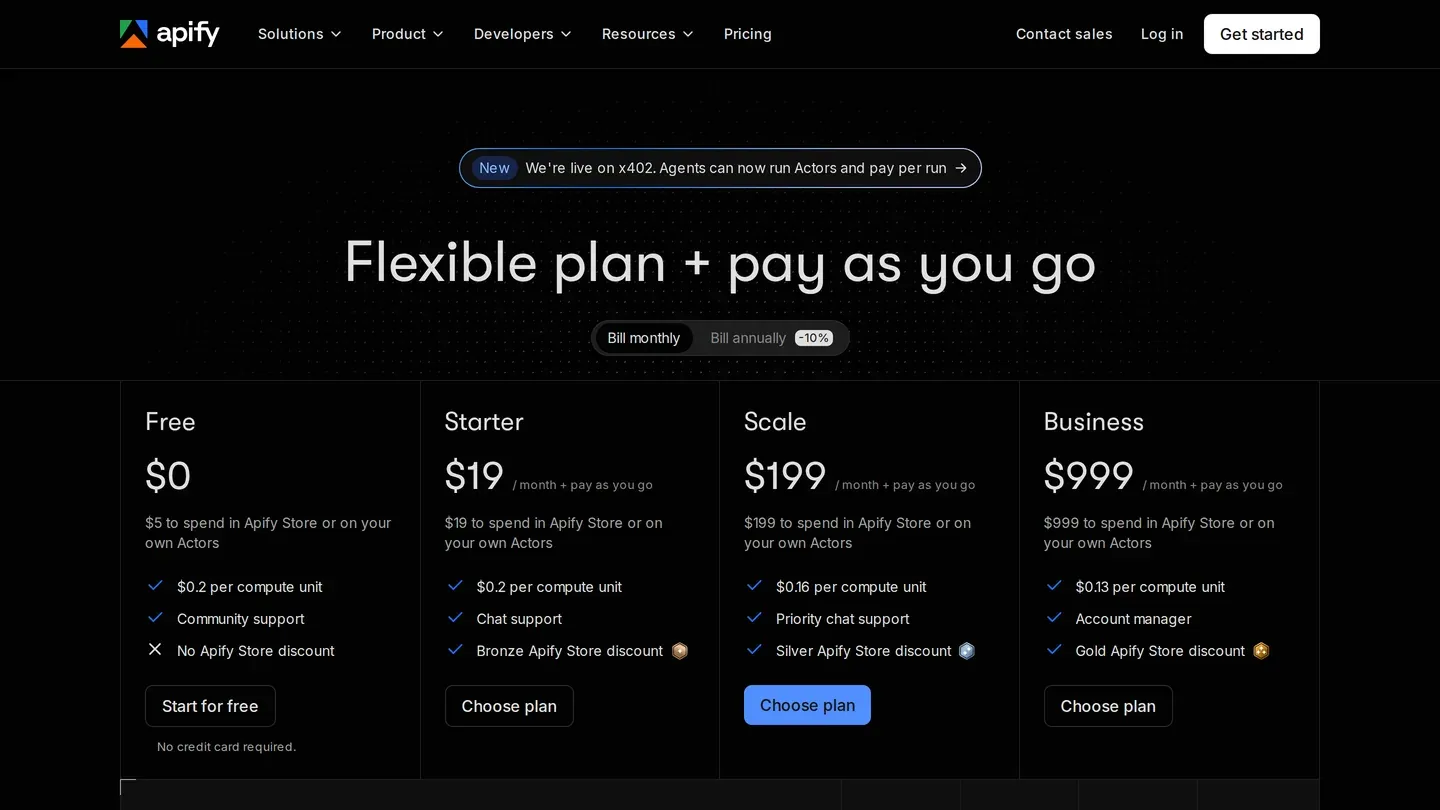
Source: Apify pricing page; these platform plans are separate from the actor's per-result price below.
You paste your search URL and LinkedIn cookies into a hosted script, it walks the results, and rows land in a dataset you download. That script is an actor. The most-used Sales Navigator one, at 8,732 total users against 2,858 for the next (Apify store API), is curious_coder's search scraper, at $0.005 per result on every plan tier including Free, in force since 9 September 2026.
The unit is one row in the output dataset, since the actor bills per event rather than per run. Setup asks for your LinkedIn session details, so it is your session doing the work, and the Store lists actors advertising no cookies and no login. Read the description, not the title.
All four hit the same ceiling, and it is LinkedIn's rather than theirs. Evaboot puts it as "Up to 2,500 leads, or 1,000 companies. That ceiling is LinkedIn's own: Sales Navigator stops paginating past it. To go further, split your search into narrower ones (by headcount, geography or industry) and export each." Splitting is the whole workaround, and we wrote it up in the export limits and the export walkthrough. Four tools is not the whole field either: we ranked twelve Sales Navigator tools separately.
Stage 3: contact data
A list of names is not a list you can email. Three tools here publish a rate and define its unit.
WizLeads
Same credit balance as stage 2, so one $39 plan covers both jobs: 3 credits per work email found, 5 per personal email, 100 per mobile number.
The unit is the email itself: misses are free, and repeat lookups within 72 hours come from cache without charging again. The API documentation describes what comes back as "All emails are valid and catch-all verified", so re-running those addresses through a separate verifier pays twice for one check. The limits are the inputs and the verify meter. Find Work Email takes a name plus the company website, not a LinkedIn URL, and personal email takes a Sales Navigator URN. Verification is 0.5 credits per email, charged for every email processed regardless of result, or $19.50 per 10,000 on the $39 plan.
Findymail
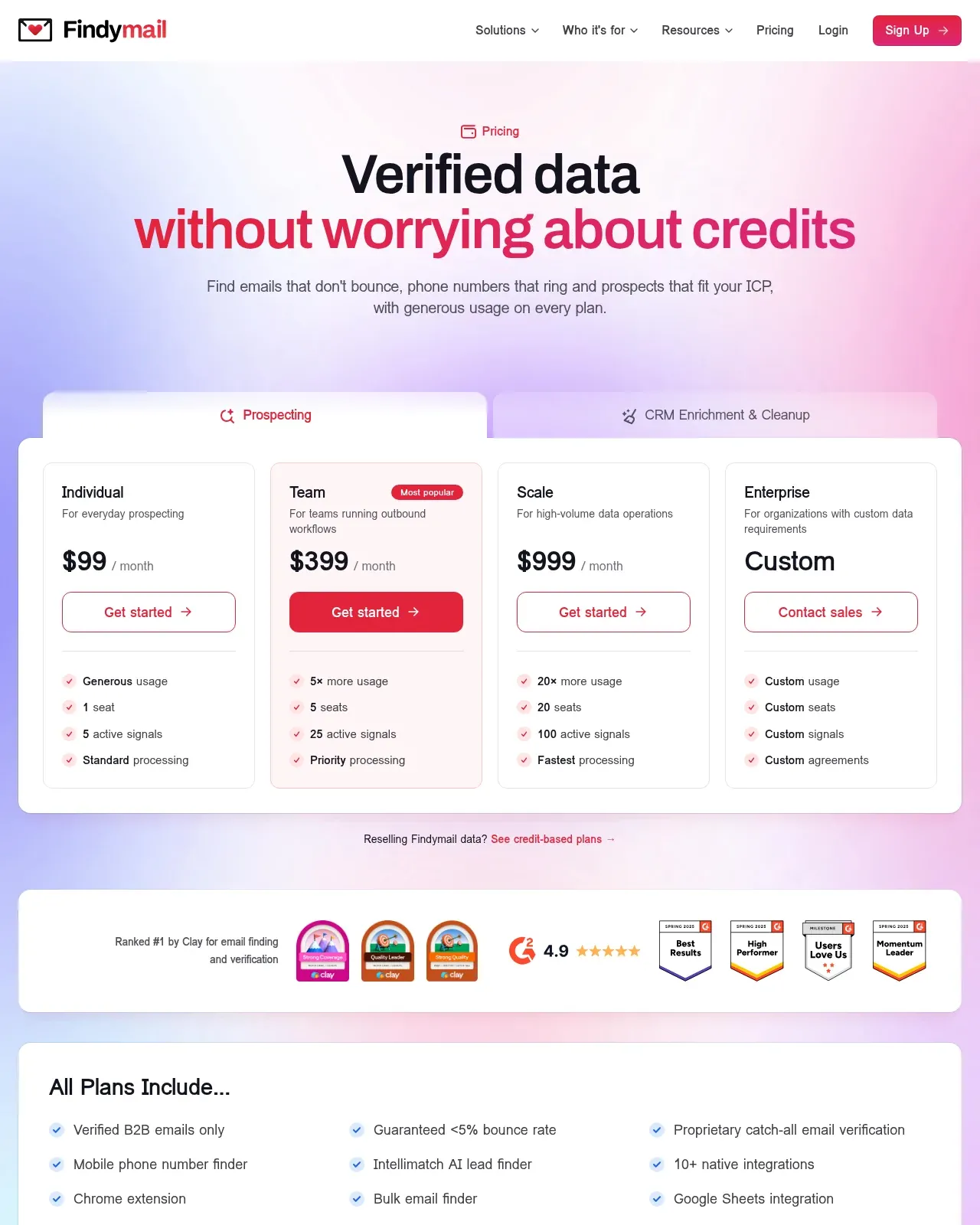
Source: Findymail pricing page, which opens on the usage-based plans rather than the credit-based ones priced below.
Starter is $99 a month for 5,000 Finder Credits plus 5,000 bonus Verifier Credits, with 10 credits on signup and no card. The unit, in Findymail's words: "1 email = 1 credit OR 1 phone = 10 credits. You only pay for verified results. No charge if we can't find it." Those are its credit-based plans: the pricing page now leads with usage-based Individual ($99), Team ($399) and Scale ($999) plans that count no credits, and says the credit-based plans are the fit if you resell Findymail data or embed it in your own product. Credits roll over up to 2x the allowance, and the page guarantees: "If your bounce rate exceeds 5%, we refund your credits", a credit refund on vendor terms rather than a measured result, as is the WizLeads 2%.
Hunter
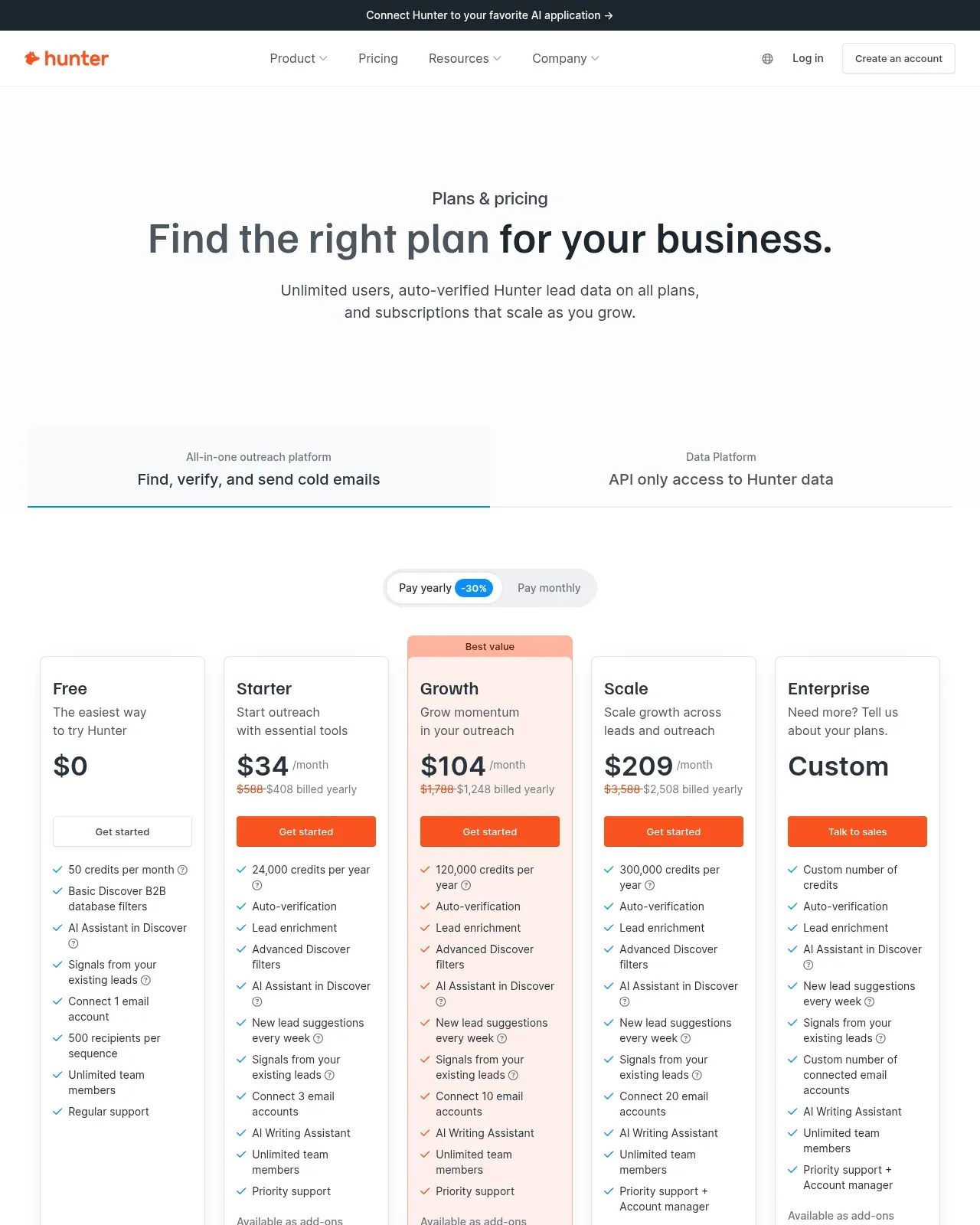
Source: Hunter pricing page, opening on yearly billing.
Free is 50 credits a month, Starter $49 or $34 billed yearly for 2,000, Growth $149 or $104 for 10,000, Scale $299 or $209 for 25,000. The unit: "1 credit = 1 email found via Domain Search, Email Finder, or Bulk Email Finder" and "0.5 credit = 1 email verified", with "no credit is counted" when a verification fails and disposable addresses "automatically skipped". The limit is which product you are on, since the API-only Data Platform sells the two credit types separately.
What 1,000 found work emails cost
The criterion, applied to every row: the cheapest plan each vendor publishes that actually carries 1,000 found emails, divided by the emails it carries. Every figure is a pro-rata unit cost rather than a bill, and the meters differ, as the last column shows.
| Tool | Cheapest plan carrying the job | Per 1,000 work emails found | Billed on |
|---|---|---|---|
| WizLeads | Freelancer $39 / 10,000 credits | $11.70 | per email found |
| Hunter | Starter $49 / 2,000 credits | $24.50 | per email found |
| Evaboot Email Finder | 1,000 credits / $49 | $49.00 | per email found |
| Findymail | Basic $49 / 1,000 credits | $49.00 | per email found |
| PhantomBuster | Grow $128/mo billed annually | $102.40 to $170.67 | per lookup |
PhantomBuster's range is its own published match rate on its own rate card: at $0.0512 a lookup from its email pool and a 30% to 50% hit rate, 1,000 lookups return 300 to 500 emails. Its Start plan's 500 email credits cannot reach 1,000 found at any rate it publishes, so Grow is its cheapest qualifying plan. Findymail's Basic stop is from its published credit-based ladder.
Read the row you would actually buy. Every ladder here falls with volume. Evaboot's published ladder stops at $299 for 15,000 credits, a unit cost of $19.93 per 1,000 found emails on the Email Finder, still above WizLeads' Freelancer rate of $11.70. Its export is a different meter, because a lead with no email still costs a credit: at our 60% sizing assumption below, 1,000 found emails take about 1,667 exported leads, and the $99 plan carrying them is $55.00 per 1,000 found, a unit cost that moves with the find rate.
Verification is a separate job on a separate meter, and WizLeads does not win it. Reoon sells 10,000 verification credits for $11.90 against WizLeads' $19.50, on a friendlier meter: "One successful email verification (anything except unknown) will cost you one credit only", with unknowns refunded, where WizLeads charges for every email processed. If verification alone is the job, Reoon is cheaper. WizLeads' case is narrower: a finder returning catch-all addresses already resolved removes the second pass, and another route from a profile exists when a finder misses.
Stage 4: outreach
Three tools, three billing units, and the unit decides the bill at scale.
HeyReach prices per LinkedIn sender: Growth $79 a month per sender, Agency $999 for 25, Unlimited $2,999. HeyReach's pricing page contradicts itself on that last tier: the heading reads "Unlimited senders, one flat monthly fee" and the card says "Unlimited senders", while a fair-use note on the same page says the plan is "capped at 300 senders". The cards list 100 enrichment credits per sender on Growth, 1,000 on Agency and 3,000 on Unlimited, and the page calls them "a one-time credit allocation to get you started", not a monthly allowance.
Expandi cards at "$99 / Per Month" with a 7-day free trial and sells seats on top. Its annual option renders at $79 a month, described as "a 20% discount, equivalent to receiving two months for free": two claims in one sentence, since two months free is 16.67%.
Instantly covers the email half and needs no LinkedIn account. Growth is $47 a month billed monthly, with unlimited email accounts and warmup, 1,000 uploaded contacts and 5,000 emails a month. Its Outreach tab prices the year at $37.60 a month while Bundles keeps Growth at $47, and the two also disagree on the yearly discount and on Hypergrowth's volume, so $47 is the only figure reading the same in both.
Outreach scales with headcount. Stages 2 and 3 scale with list size, which is why buying them on one logic goes wrong.
Stage 5: CRM and orchestration
Clay is the glue rather than a data source. Its free plan gives "100 Data Credits and 500 Actions/mo" with unlimited seats and 200 rows per table. Launch is $167 a month billed annually, or $185 monthly, for 2,500 Data Credits and 15,000 Actions: a Clay price is an Actions component plus a Data Credits component, and the card adds them annually while the FAQ adds them monthly, so the two differ without either being wrong. Data Credits roll over up to 2x the plan monthly, 15% on annual; Actions never do. WizLeads runs inside Clay at request limit 10, duration 1000 ms.
HubSpot CRM is where the outcome lands. On its pricing page, Free is $0 and "Free for up to 2 users. No credit card required", and the Starter Customer Platform "Starts at" $7 a month per seat billed annually or $20 monthly, under a banner reading "Save up to 65% on Starter ... New customers only. Select offers available for a limited time." HubSpot's product page still shows a higher Starter seat, so take the pricing page's.
What one month of this costs
Sales prospecting tools get priced one at a time; a workflow gets paid for all at once. One operator, one month, 1,000 leads from one Sales Navigator people search, work emails attached, loaded into a sequence. The assumptions, all of which change the answer:
- The search returns 1,000 leads, under the 2,500 cap, so no splitting is involved.
- 60% of rows return a work email. That is our own sizing assumption for credit budgets, not a measured find rate for any vendor here, and we do not apply it to PhantomBuster, whose published range is 30% to 50%.
- US list prices, one seat, monthly billing unless stated, no CRM seat since HubSpot Free is $0, and the sequencer held constant at Instantly Growth, $47 a month, so only stages 1 to 3 differ.
- Every total is a pro-rata unit cost on the cheapest plan carrying the job, not a bill.
Path A, WizLeads account-less, no Sales Navigator seat. 1,000 leads at 2 credits plus 600 work emails at 3 credits, misses free, is 3,800 credits. Freelancer is $39 for 10,000, so $0.0039 a credit and $14.82 for the job, or $61.82 with the sequencer. You are billed $39 plus $47, because 10,000 credits carry this job 2.63 times over. Connecting an account halves the scrape: 2,800 credits, $10.92.
Path B, Sales Navigator Core plus Evaboot. Seat $119.99. Evaboot bills 1,000 credits for the export, emails included, whether 600 or 900 rows return one, and the cheapest plan carrying 1,000 is $49, so $0.049 a credit and $49.00. Stage total $168.99, or $215.99 with the sequencer.
Path C, Sales Navigator Core plus PhantomBuster. Seat $119.99. Grow is $128 a month billed annually for 2,500 email credits, so $0.0512 a lookup and $51.20 for 1,000 lookups. Stage total $171.19, or $218.19 with the sequencer. One thing this path does not charge for that the other two do: its export leg runs on the plan's execution time rather than on credits, so the scrape costs nothing extra. At its own 30% to 50% match rate those lookups return 300 to 500 emails, not 600.
| Path | Stages 1 to 3 | With sequencer | Emails delivered |
|---|---|---|---|
| A. WizLeads account-less | $14.82 | $61.82 | 600 at our 60% assumption |
| B. Sales Navigator Core plus Evaboot | $168.99 | $215.99 | 600 at the same assumption |
| C. Sales Navigator Core plus PhantomBuster | $171.19 | $218.19 | 300 to 500 at PhantomBuster's own rate |
The ratio between path A and the others is not the durable finding, since it moves with whichever stop on each ladder you buy. The durable finding is the line in two paths and not the third: $119.99 of paths B and C is the seat, which is 71.00% of path B's stage cost and 70.09% of path C's, both to four figures.
That seat is not wasted money. It buys the lead filters, the saved lists, the InMail allowance and every view relative to your own network, so if your targeting depends on those you need it whatever sits on top. Account-less scraping removes it from the bill for one job, turning a search URL into rows, and nothing else. If you already pay for Sales Navigator, the seat is sunk and stage 2 comes down to credit rates. The best LinkedIn prospecting tools for your stack cover the stage you are weakest at, which changes with whether you hold a seat.
Where WizLeads fits, and where it does not
WizLeads covers stages 2 and 3, and its people search takes a Sales Navigator search or list URL.
It does not scrape free LinkedIn search results, Premium search results, post engagers, commenters or company employee pages. If your prospecting starts from a post that got 400 reactions, a general LinkedIn scraper is the right tool. Find Work Email will not take a profile URL, and personal email needs a Sales Navigator URN. Mobile numbers are 100 credits each, pricing them for a shortlist rather than a list. Smart Link Splitting is Agency and above, and verification bills 0.5 credits for every email processed, whatever the result.
What it does is narrow: Sales Navigator search to rows without a seat, at 2 credits a row, with verified work emails at 3 credits each. The free 500 credits run 250 leads through it, enough to decide.